CleanShot X Alternatives: When to Keep It and What to Use Instead
 By Sleekshot Team
9 min read
Short answer
CleanShot X ($35 one-time) is still the most complete screenshot and recording app for Mac, and worth keeping if you rely on scrolling capture, its capture history, cloud links or the new video editor. If you mostly take screenshots with arrows and record short clips, Sleekshot for Mac is a free CleanShot X alternative: editable annotations, MP4 or GIF recording with system audio and a webcam, pinning, upload links and OCR. It has no scrolling capture, history or video trimming. Shottr is the cheap pick for scrolling screenshots if you don't need video.
On this page
The best CleanShot X alternative depends on which half of CleanShot you use. If you mainly take screenshots, add arrows or blur, and record a short clip now and then, Sleekshot for Mac does that for free. You get editable annotations, MP4 or GIF recording with system audio and a webcam, pinning, upload links and text recognition. If you need scrolling screenshots on a budget, Shottr has them. It's free for personal use and costs $12 for a commercial license, but it doesn't record video.
Keep CleanShot X if you rely on scrolling capture, its capture history, cloud links for a team or the video editor that arrived in version 5.0. No free app covers all of that. We make Sleekshot, so we list its gaps next to CleanShot's strengths. Competitor facts come from each official site as of October 2026.
Stay with CleanShot X or switch?
CleanShot X is a good app at a fair price, so the question is whether you use enough of it.
Stay with CleanShot X if you:
- Take scrolling screenshots of long pages or chats. CleanShot handles vertical and horizontal scrolling in any app.
- Go back to old captures. Its history keeps up to a month of screenshots and recordings.
- Edit recordings before sharing. Version 5.0 (September 2026) added Studio Mode with smart zooms, cursor smoothing, backgrounds and trimming.
- Share through CleanShot Cloud, especially as a team on the Pro plan.
- Use the self-timer, keystroke display or the 20 built-in screenshot backgrounds.
Switch to a free app if you:
- Mostly take a screenshot, mark it up and paste it into Slack, Jira or an email.
- Record short clips with your voice, system audio or webcam and send them as they are.
- Don't want to pay $19 a year for updates after the first year, or $10 per user per month for Pro.
- Set up Macs for a team where most people only need the basics.
If you already own CleanShot Basic, your license doesn't expire. You can keep it for scrolling captures and use a free app for everyday screenshots.
CleanShot X vs Sleekshot vs Shottr: feature comparison
The built-in macOS toolbar (⌘ + ⇧ + 5) is in the last column for reference. Facts as of October 2026.
| CleanShot X | Sleekshot for Mac | Shottr | Built-in ⇧⌘5 | |
|---|---|---|---|---|
| Price | $35 once (1 year of updates); Pro $10/user/month | Free | Free; $12 license for commercial use | Free |
| Requires | macOS 13+ | macOS 12+ (recording: 13+) | macOS 10.15+ | Included |
| Where to get it | cleanshot.com, Setapp | Mac App Store only | shottr.cc | Built in |
| Area, window, full screen | Yes | Yes | Yes | Yes |
| Scrolling capture | Yes | No | Yes | No |
| Timer | Yes | No | 3-second delay | 5 or 10 seconds |
| Annotation | 13 tools, 4 arrow styles, blur, counter | 7 arrow styles, 7 shape styles, 6 text styles, blur, steps; stays editable | Arrows, text, step counter, blur, spotlight | Markup: shapes, text, pen |
| Screen recording | MP4, GIF | MP4, GIF; area, window or full screen; no time limit or watermark | No | .mov |
| System audio and webcam | Both | Both, plus face masks | No recording | System audio on macOS 27+; no webcam |
| Video editing | Smart zooms, trimming | No | No recording | Trim only |
| Text recognition (OCR) | 30+ languages, on device | On device, no downloads | Text and QR codes | Live Text in Preview and Photos |
| Pin on screen | Yes | Yes (⌘P) | Yes | No |
| Share links | CleanShot Cloud (1 GB on Basic) | Sleekshot or Imgur | Your own S3-compatible storage | No |
| Capture history | Up to 1 month | No | Not listed | No |
Sleekshot for Mac: the free CleanShot X alternative
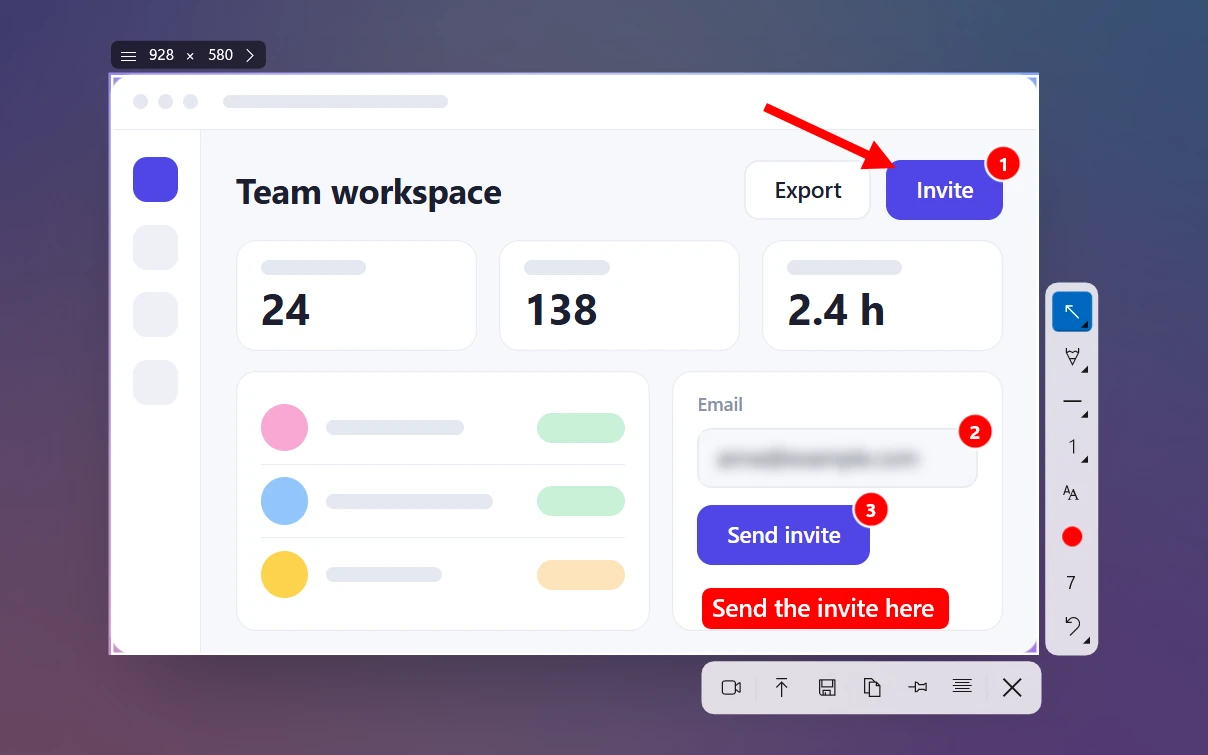
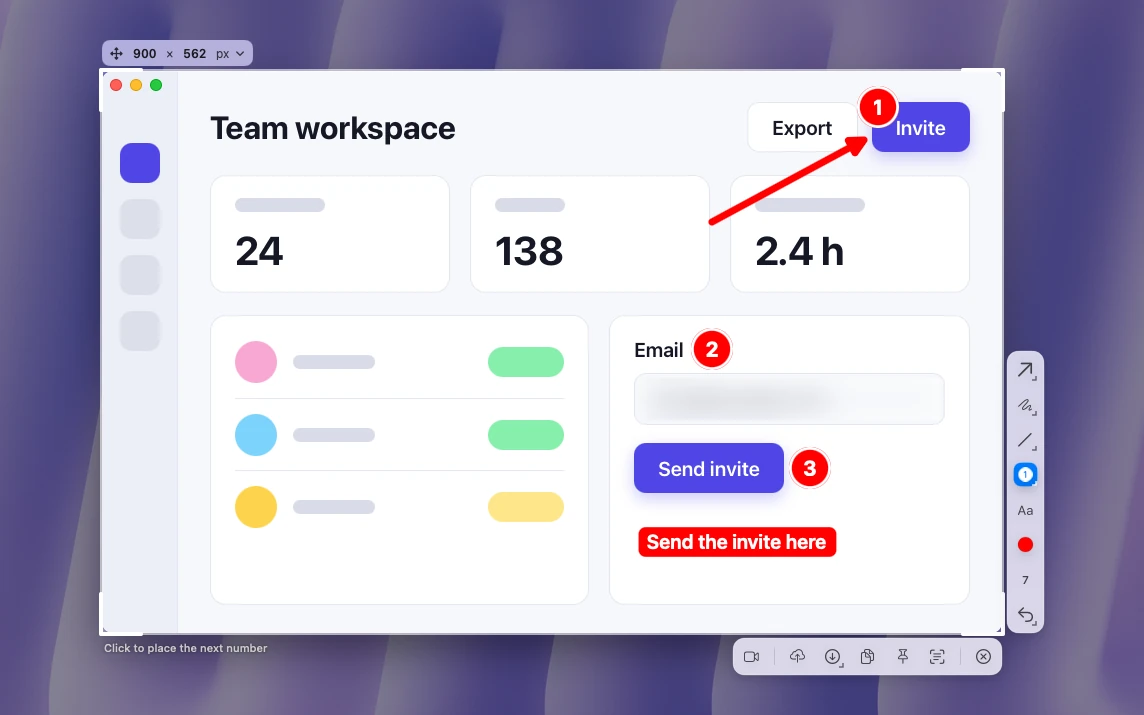
Sleekshot for Mac is a free menu bar app for screenshots and screen recording (Mac App Store; screenshots on macOS 12 or later, recording on macOS 13 Ventura or later). Press ⌘ + ⇧ + 2 and the screen freezes, so menus and tooltips stay put. Drag over an area, click a window or press ⌘ + A for the full screen. Then mark it up right there, with no separate editor window.
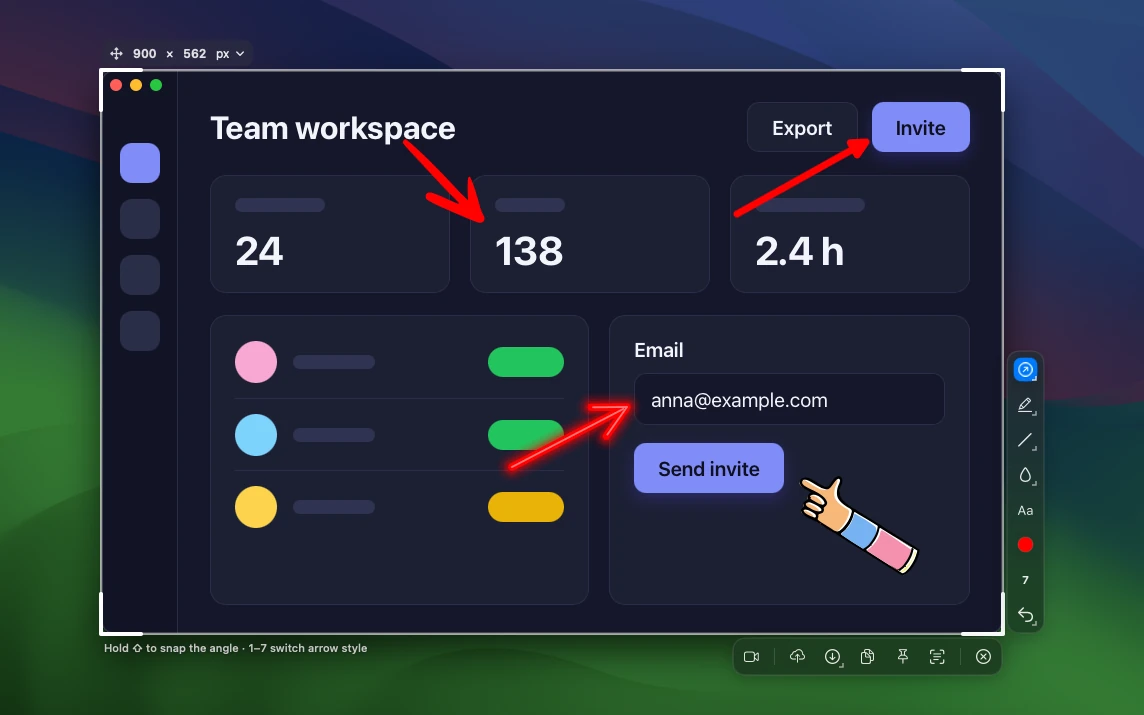
Annotation. This is where Sleekshot comes closest to CleanShot. There are 7 arrow styles on keys 1 to 7: Arrow, Sketchy, Hand, Highlighter, Doodle, Retro and Neon. Rectangles and ellipses come in 7 styles (double-click the outline to switch), and text in 6 styles and 6 fonts. You also get real blur for emails and passwords, step numbers, a highlighter and captions that grow inside a shape. Everything stays editable, so you can select, move, resize or rotate an arrow after you draw it, with undo and redo.
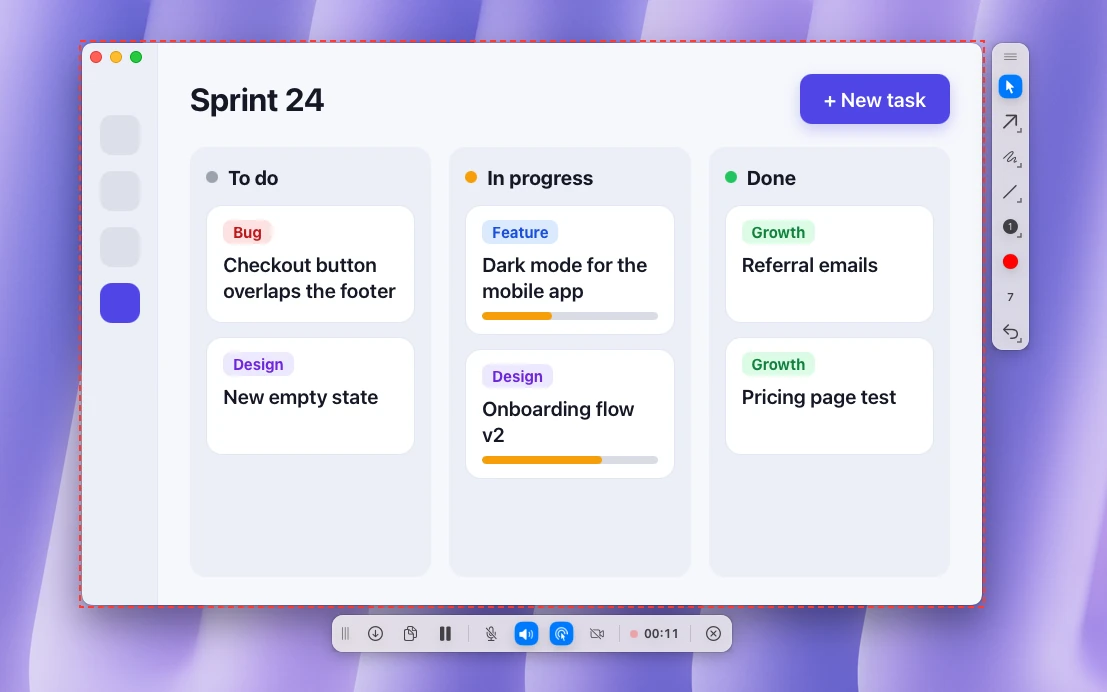
Recording. From the same selection (an area, a window or the full screen), press ⌘ + R or click the record button (the camera icon on the action bar). Sleekshot records it with system audio and your microphone, with pause and resume, highlighted clicks and drawing on the live screen. Your webcam can sit in a corner, with one of 10 face masks if you'd rather not show your face. When you stop, click save to get a Save dialog (Movies folder, Format menu with MP4 or GIF), or copy the video. Quality presets are Compact (20 fps), Optimal (30 fps) and High quality (60 fps), and there's no time limit or watermark. Recording needs macOS 13 Ventura or later.
Sharing, pinning and text. ⌘ + C copies, ⌘ + S saves as PNG, JPEG or HEIC, and ⇧ + ⌘ + S saves to the last folder. ⌘ + P pins a screenshot on top of all windows. The upload button (⌘ + U) sends it to Sleekshot or Imgur and gives you a link. The copy text button (⇧ + ⌘ + C) recognizes text on your Mac with Apple's Vision framework, with no language packs to download. Read more in how to copy text from an image on a Mac.
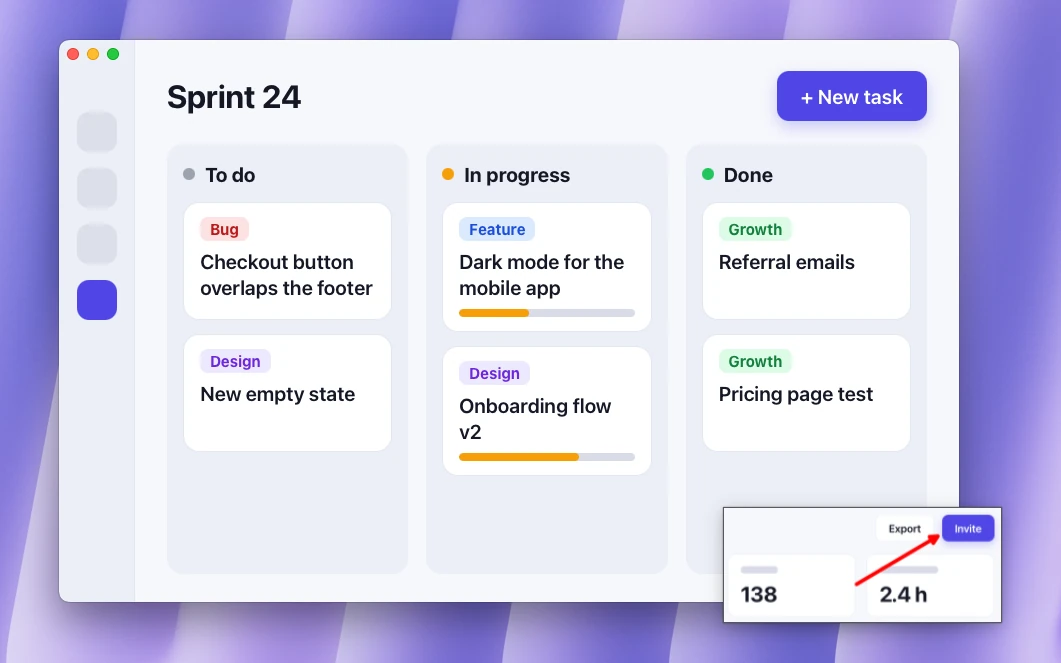
Two extras are worth knowing about: a signature (your name or logo on every screenshot and video) and size presets for Shorts, Stories, slides and social posts in the size bar.
What Sleekshot doesn't do compared with CleanShot X: no scrolling capture, no timer and no capture history. Recordings can't be trimmed or edited, and you record one area at a time. It can't open image files you saved earlier, only fresh captures. It's only on the Mac App Store, not Setapp. If scrolling capture is a weekly need, keep CleanShot X or add Shottr.
Sleekshot is free with no account and no in-app purchases. See everything on the Sleekshot for Mac page.
Shottr: the cheap alternative for scrolling screenshots
Shottr is a small, fast screenshot app for macOS 10.15 and later that covers much of CleanShot's screenshot side for less money. Version 1.9.3 came out in September 2026.
It has scrolling capture for long pages and chat threads, text and QR code recognition, pinned screenshots, a screen ruler and a color picker (press Tab over a pixel). Annotation covers arrows you can bend, text, a step counter, blur and spotlights, and you can add gradient backgrounds. Uploads go to S3-compatible storage that you set up yourself.
Shottr doesn't record the screen. If that's why you're looking for a Shottr alternative, CleanShot X is the paid option with video and Sleekshot for Mac the free one.
You can use Shottr free for as long as you like; after 30 days it starts asking you to consider buying. The Basic license is $12 one-time and required for commercial use, and the Friends Club tier is $30. One license covers one person on up to five computers.
Other options: built-in tools and Snagit
The built-in Screenshot toolbar (⌘ + ⇧ + 5) covers occasional use: area, window and full-screen screenshots, a 5- or 10-second timer, and recording to .mov. Markup adds shapes and text but no blur, and recordings include the Mac's own sound only on macOS 27 Golden Gate. Our best screenshot apps for Mac roundup covers it in detail.
Snagit from TechSmith runs on macOS 14 and later as well as Windows. It records the screen, microphone, system audio and webcam and takes scrolling screenshots. It's sold as a subscription of about $39 per user per year. It makes sense for documentation teams that also work on Windows. If you're on a Mac and leaving Snagit, see our Snagit alternative guide. For video-first tools such as Screen Studio and OBS, see the best screen recorders for Mac.
How to switch from CleanShot X to Sleekshot
You can run both apps side by side while you decide.
- Install Sleekshot from the Mac App Store. A welcome screen walks you through the first screenshot, and the app guides you through the Screen Recording permission.
- Check the shortcuts. Sleekshot's default is ⌘ + ⇧ + 2, which macOS doesn't use for anything. If another app already uses it on your Mac (Shottr added Cmd+Shift+2 for area capture back in version 1.3), change the shortcut in one of the apps.
- Move ⇧ + ⌘ + 4 if you want it. Sleekshot can open on ⇧ + ⌘ + 4 instead of the built-in tool; click Use ⇧⌘4 for Sleekshot in Settings → Screenshots. If CleanShot X currently answers to that shortcut, remove it in CleanShot's settings first so the two don't fight over it.
- Save what you need from CleanShot. Its history keeps captures for up to a month, so save the ones you want as files. Links you shared live in your CleanShot Cloud account, so keep that account if people still open them.
- Learn the handful of keys in the table below.
| What you want | In Sleekshot for Mac |
|---|---|
| Screenshot of an area | ⌘ + ⇧ + 2, then drag |
| Screenshot of a window | ⌘ + ⇧ + 2, then click the window |
| Full screen | ⌘ + ⇧ + 2, then ⌘ + A |
| Same area as last time | ⌥ + ⇧ + ⌘ + 2 |
| Switch arrow style | 1 to 7 |
| Blur / text / step numbers | B / T / S |
| Copy / save / quick save | ⌘ + C / ⌘ + S / ⇧ + ⌘ + S |
| Pin on top | ⌘ + P |
| Record the screen | ⌘ + R after you select, or the camera button on the action bar |
| Upload and copy a link | ⌘ + U |
| Copy the text in the image | ⇧ + ⌘ + C |
| Cancel | Esc |
Keep CleanShot X installed for scrolling captures if you need them; Sleekshot doesn't conflict with it once the shortcuts are sorted. Coming from Gyazo instead? Our Gyazo alternative comparison covers apps that turn a screenshot into a link.
Frequently asked questions
Is there a free alternative to CleanShot X?
Is CleanShot X a one-time purchase?
What does CleanShot X do that Sleekshot doesn't?
Is Shottr a good alternative to CleanShot X?
Can I run Sleekshot and CleanShot X at the same time?
What is the best Snagit alternative on a Mac?
Sleekshot Team
We build Sleekshot, a free screenshot and screen recording app for Windows and Mac. Every guide is checked on current Windows 11, Windows 10 and macOS builds.
Also available in: Deutsch Français Español Italiano Русский ភាសាខ្មែរ Bahasa Indonesia 简体中文 日本語