ShareX vs Sleekshot: Honest Comparison for 2026
ShareX vs Sleekshot: Honest Comparison for 2026
Looking for an alternative to ShareX? Sleekshot is the best option if you want a modern, clean screenshot tool that works on both Windows and macOS without the learning curve. ShareX is powerful but overwhelming for most users. Sleekshot offers polished annotation tools, screen recording with webcam overlay, and a native Windows 11 interface, all for free.
Quick answer: ShareX is a feature-packed, open-source tool for power users who don't mind spending time configuring it. Sleekshot is for everyone else. It provides professional-grade screenshot and recording capabilities in a clean interface that works out of the box, on both Windows and macOS.
Feature Comparison Table
| Feature | Sleekshot | ShareX |
|---|---|---|
| Price | Free (optional $29 one-time license) | Free, open-source |
| Windows support | ✓ | ✓ |
| macOS support | ✓ | ✗ |
| Native Windows 11 design | ✓ (WinUI 3) | ✗ (WinForms) |
| Dark/Light theme | ✓ (follows system + accent colors) | ✓ (dark only) |
| Screen recording | ✓ (no time limit) | ✓ (via FFmpeg) |
| Webcam overlay | ✓ | ✗ |
| Cursor highlighting | ✓ | ✗ |
| Window detection | ✓ | ✓ |
| Screen freeze on capture | ✓ | ✗ |
| Blur/Pixelate tool | ✓ | ✓ |
| Stepper numbered circles | ✓ | ✓ |
| Canvas resize after annotation | ✓ | ✗ |
| Pen stabilization | ✓ | ✗ |
| Marker/Highlighter tool | ✓ | ✓ |
| Cloud upload & sharing | ✓ | ✓ (80+ destinations) |
| Scrolling capture | ✗ | ✓ (unreliable) |
| OCR text recognition | Coming soon | ✓ |
| Setup complexity | Minimal | High |
| App size | ~30 MB | ~110 MB (installer) |
The Usability Problem with ShareX
ShareX has more features than most users will ever discover. That's both its strength and its biggest weakness. The settings panel alone has dozens of tabs, sub-menus, and configuration options. Upload destinations number over 80. Workflow automation lets you chain actions together in custom sequences. For developers and technical users who enjoy configuring their tools, this is paradise.
For everyone else, it's a wall of complexity. In our testing, it took roughly 15 minutes to find and configure the basic workflow of "capture region, annotate, copy to clipboard." Sleekshot does that in about 30 seconds after installation.
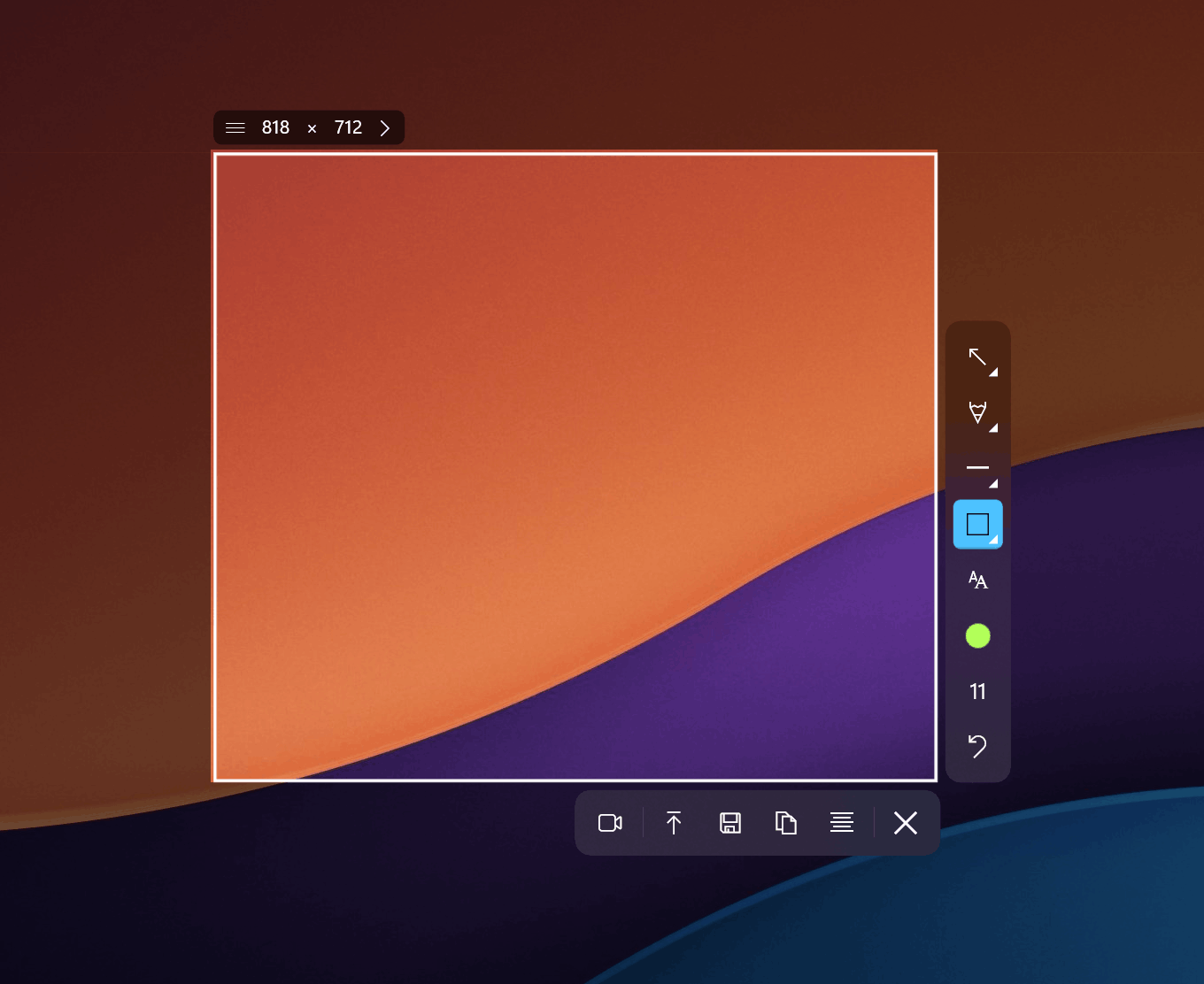
Sleekshot's interface is built on WinUI 3, giving it the native look and feel of a Windows 11 app. It follows your system theme automatically, including light/dark mode switching and Windows accent colors. ShareX uses WinForms, a UI framework that dates back to the early 2000s, and it shows in the interface.
Annotation Tools: Quality vs Quantity
ShareX's image editor includes arrows, rectangles, ellipses, lines, text, step numbers, blur, pixelate, highlights, and freehand drawing. It covers the basics and then some.
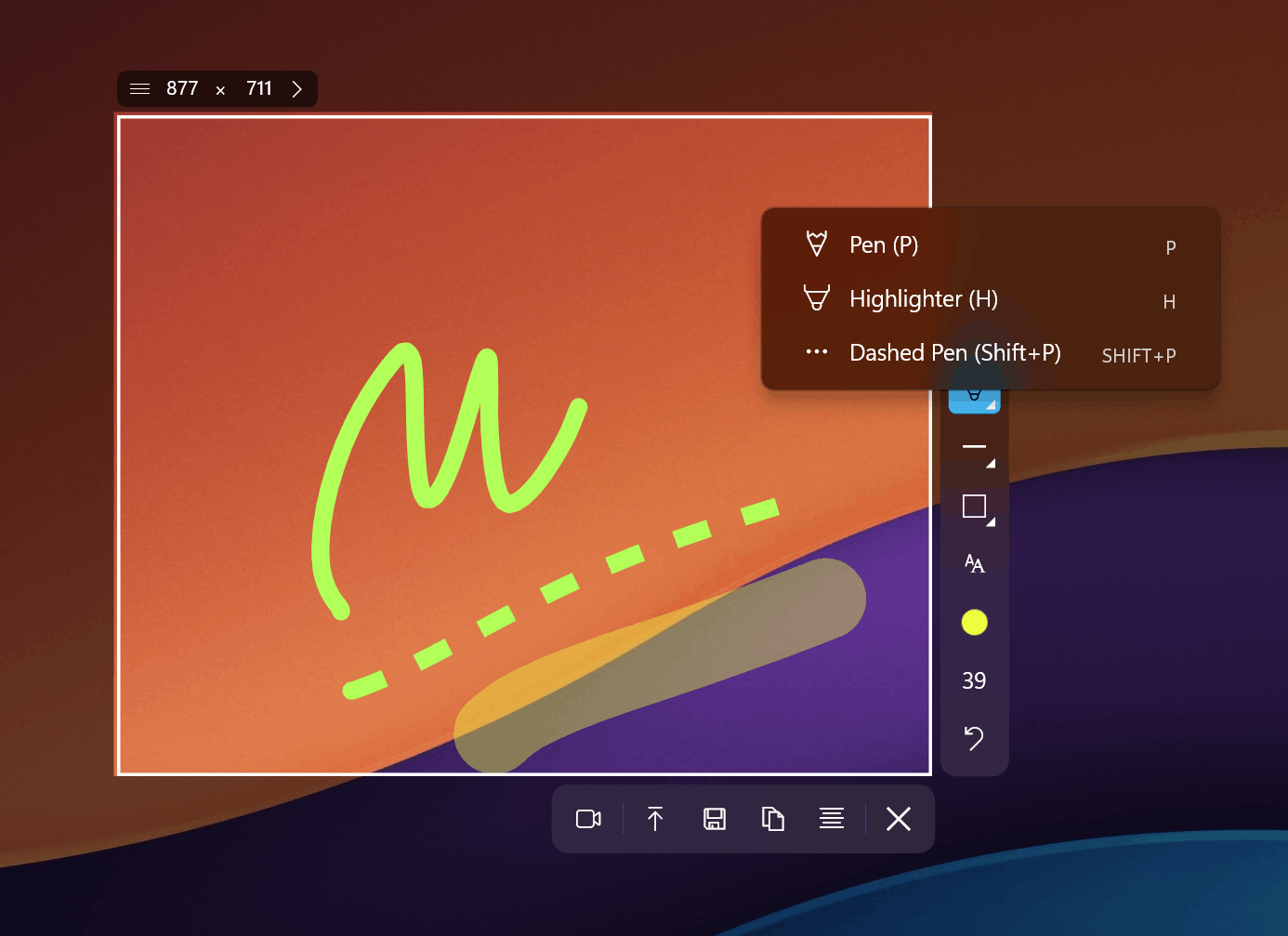
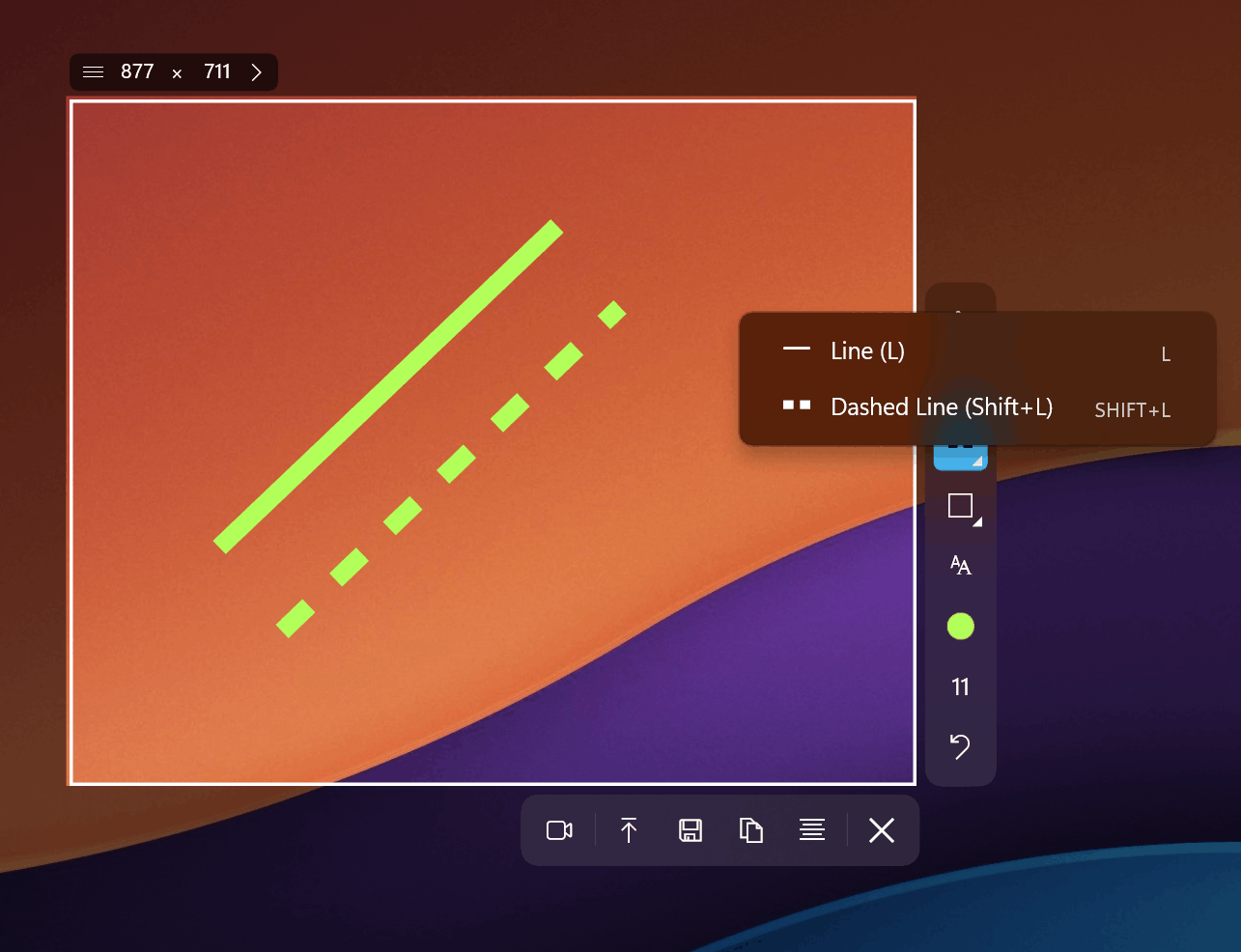
Sleekshot matches most of these and adds refinements that matter in daily use. The arrows have a distinctive visual style that looks sharper in documentation. Lines support both solid and dashed modes. Text can be placed with or without a background, and text boxes are freely movable after placement. The pencil tool has smooth stabilization that makes freehand drawings look cleaner. And there's a proper marker/highlighter tool that mimics actual highlighter behavior.
Canvas Resizing After Annotations
This is a feature we use constantly that ShareX doesn't offer. After you've added arrows, text, blur regions, and step numbers to a screenshot, Sleekshot lets you expand the canvas in any direction. Need more space below for a caption? Drag the bottom edge. Want to add a sidebar annotation? Extend the right side. In ShareX, once your canvas is set, it's set. You'd need to start over or use an external image editor to add space.
Shift-Snap Precision
When drawing arrows or lines in Sleekshot, holding Shift locks them to 45-degree angles. This is a small feature that makes a big visual difference in technical documentation and diagrams. ShareX's editor doesn't offer this constraint.
Screen Recording: Different Approaches
ShareX records screen through FFmpeg, which it downloads separately. The setup involves configuring codec settings, container formats, and quality presets. The recording itself works, but there's no webcam overlay, no cursor highlighting, and the configuration process can confuse users unfamiliar with video encoding terminology.
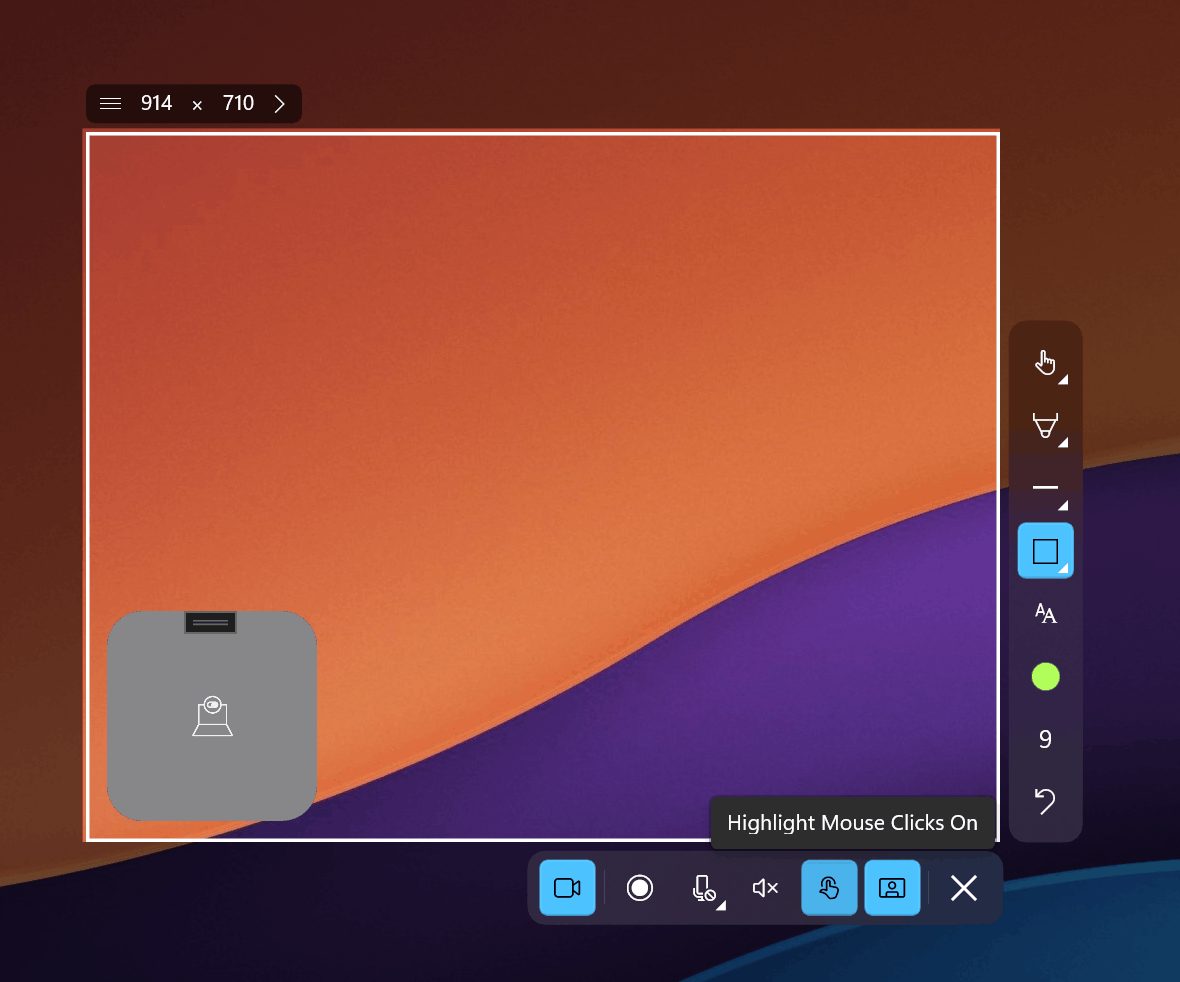
Sleekshot's recording works out of the box. Hit the record shortcut, select your area, and go. You get cursor highlighting (so viewers can follow your mouse), microphone selection for narration, and a circular webcam overlay for face-cam presence. There are no time limits on recordings. The free version adds a small watermark; the $29 license removes it. No FFmpeg configuration, no codec decisions, no external downloads.
Platform Support: Where ShareX Falls Short
ShareX is Windows-only. It's built with C# and .NET Framework, relying heavily on Windows-specific APIs. Despite years of requests from the community (multiple GitHub issues dating back to 2016), the developers have confirmed that a macOS or Linux port is unlikely. If you use a Mac at home and Windows at work, ShareX can only follow you to one of those machines.
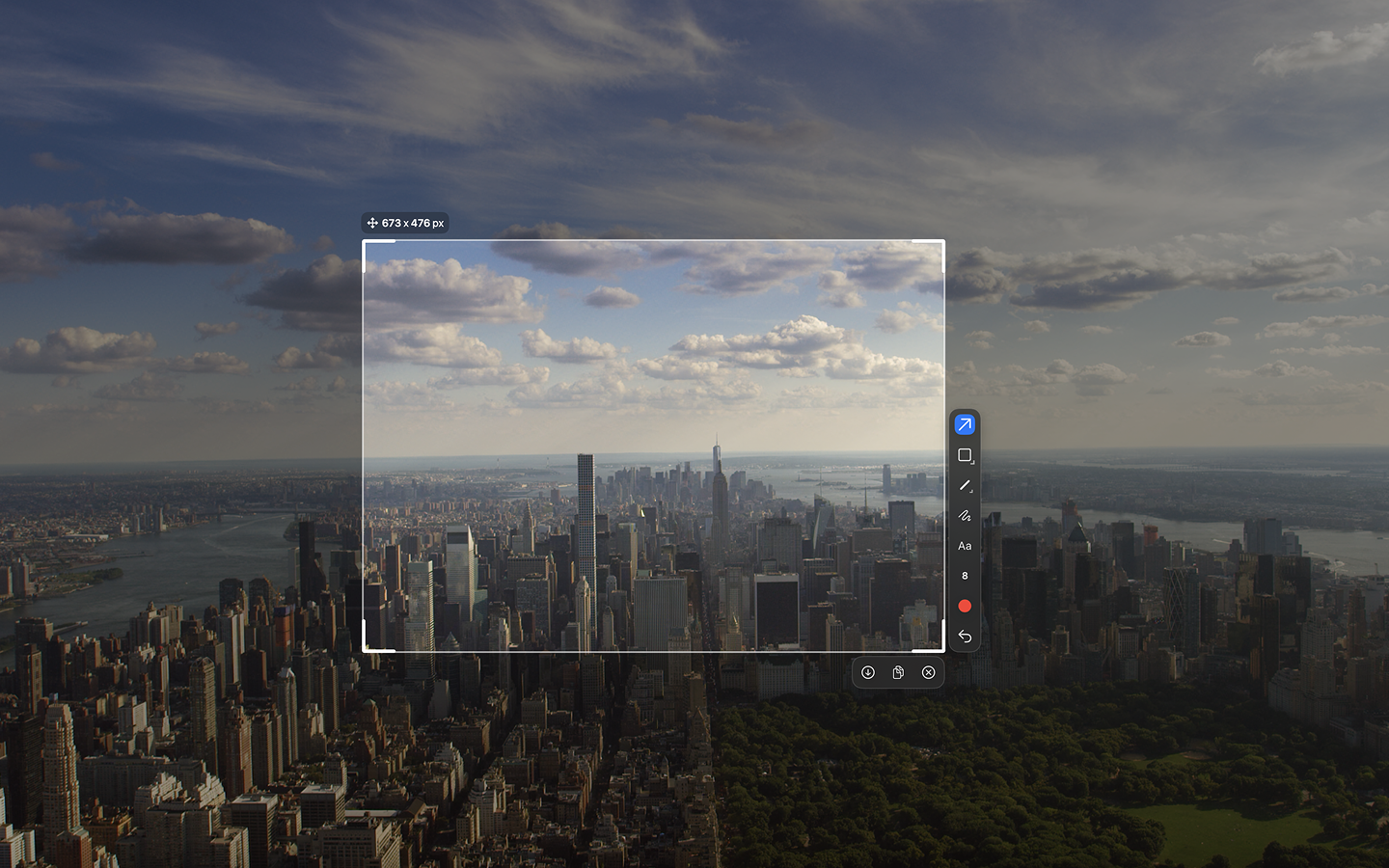
Sleekshot runs natively on both Windows and macOS. The macOS version supports all screenshot and annotation features, with screen recording coming soon. This means your muscle memory, workflows, and expectations transfer between platforms seamlessly.
ShareX's Known Issues in 2025-2026
Based on GitHub issue reports and user forums, here are the most commonly reported ShareX problems:
- Capture delay of approximately 5 seconds after the version 18 update, making quick screenshots frustrating
- Scrolling capture frequently fails on pages with sticky headers, footers, or sidebars
- The ShareX window sometimes appears in the capture area when taking screenshots
- Imgur authorization issues affecting the most popular upload destination
- The installer size has grown to approximately 110 MB due to bundled .NET 9.0 runtime
- Database file errors reported by multiple users
Sleekshot avoids most of these issues by design. The screen freeze feature ensures consistent captures without timing delays. The smaller install size (~30 MB) keeps things lightweight. And cloud sharing uses Sleekshot's own service, avoiding third-party authorization headaches.
Pricing Reality Check
ShareX is free and open-source with no paid tier. Every feature is available to everyone, funded by optional donations through GitHub Sponsors and Patreon.
Sleekshot is free with all screenshot and annotation features fully unlocked. Screen recording is free with a watermark. The one-time payment of $29 removes the watermark permanently. No subscription, no annual renewal, no "premium tier" that gates critical features.
For users who only need screenshots (no recording), both tools are genuinely free. For users who need recording, Sleekshot's free tier still delivers more convenience than ShareX's FFmpeg-based approach, even with the watermark.
Where ShareX Still Wins
Fairness matters. ShareX does several things Sleekshot currently doesn't:
- 80+ upload destinations: If you need to upload directly to Imgur, Flickr, Google Drive, Dropbox, FTP servers, or custom hosts, ShareX has unmatched integration breadth.
- OCR text recognition: ShareX can extract text from screen captures. Sleekshot has OCR on its roadmap but hasn't shipped it yet.
- Scrolling capture: When it works, ShareX can capture entire web pages or long documents by scrolling. The feature is unreliable with modern web layouts, but it exists.
- Workflow automation: ShareX lets you chain post-capture actions (annotate, add effects, upload, copy link) into automated sequences.
- Color picker and hash checker: Niche tools that some developers rely on daily.
Expert Tips
- If you're switching from ShareX, start by remapping your capture hotkey to match what you used in ShareX. Muscle memory is the hardest thing to retrain, and Sleekshot lets you customize all shortcuts.
- Use window detection instead of manual region selection. Hover over any app window and click once for a pixel-perfect capture. This replicates ShareX's "Active Window" capture mode but with visual feedback as you hover.
- Set a default annotation tool in Sleekshot's settings. If you always reach for the arrow first, make it the default and skip a click every time you capture.
- Leverage canvas resize for documentation. Capture the screen, add your annotations, then expand the canvas to add whitespace or additional context. This workflow is impossible in ShareX without external tools.
Common Mistakes When Switching from ShareX
- Expecting the same level of configuration. ShareX is a power tool with dozens of settings. Sleekshot is intentionally simpler. Features like upload destination selection and post-capture workflows are replaced by sensible defaults that work for 95% of use cases.
- Overlooking screen freeze. ShareX captures instantly, which means moving content (videos, animations) can produce blurry or incorrect captures. Sleekshot freezes the screen first, giving you a static target. Use this to your advantage.
- Not trying the webcam overlay. If you create video content, the circular webcam overlay in Sleekshot's recorder adds a professional touch that previously required separate software like OBS or Loom.
- Assuming you need the paid version. All screenshot and annotation features are free. You only need the $29 license if you record video and want to remove the watermark.
Frequently Asked Questions
Is Sleekshot open-source like ShareX?
No. Sleekshot is a proprietary app developed by a solo developer. However, it's free to use for screenshots and annotations. The developer actively takes feature requests and responds to user feedback, which provides a different kind of transparency than open-source development.
Can Sleekshot upload to Imgur or Google Drive like ShareX?
Sleekshot has its own cloud upload service that generates shareable links. It doesn't support the 80+ upload destinations that ShareX offers. For most users, the built-in cloud sharing covers the primary use case of sharing screenshots via link.
Does Sleekshot work on macOS? ShareX doesn't.
Yes. Sleekshot has a native macOS version with all screenshot and annotation features. Screen recording on macOS is currently in development. Download it here for both platforms.
What is the best free screen capture tool for Windows in 2026?
It depends on your priorities. ShareX offers the most features for technically inclined users willing to invest setup time. Sleekshot is the best free screenshot tool for users who want modern design, ease of use, and cross-platform support. Both are free for screenshot workflows. Sleekshot adds free screen recording with webcam overlay, which ShareX cannot match in usability.
Will Sleekshot get OCR and scrolling capture?
OCR is confirmed on the roadmap and expected soon. The developer is a solo creator who actively communicates about upcoming features. You can download Sleekshot now and receive OCR when it ships as a free update.
The Verdict
ShareX is an excellent tool for power users who need maximum configurability, dozens of upload destinations, and don't mind a steep learning curve. It's free, open-source, and deeply capable.
Sleekshot is the better choice for everyone who wants a screenshot tool that works beautifully out of the box. It has a native Windows 11 interface, runs on macOS too, includes screen recording with webcam overlay and cursor highlighting, and offers annotation tools that prioritize quality over quantity. The canvas resize feature alone saves significant time when building documentation or tutorials.
If you've been using ShareX and find yourself only using 10% of its features while wishing the interface was cleaner and it worked on your Mac, Sleekshot is worth trying.
Download Sleekshot free and see if it fits your workflow. If you end up using the recording features professionally, the one-time $29 license removes the watermark permanently.