Best Screenpresso Alternative 2026: Sleekshot
Best Screenpresso Alternative in 2026: Sleekshot Comparison
Looking for a Screenpresso alternative that runs on macOS too and doesn't lock features behind a paid license? Sleekshot is a free screenshot and screen recording tool that matches Screenpresso's capture capabilities while offering a modern interface, cross-platform support, and no watermarks on screenshots.
Screenpresso has earned a solid reputation among Windows users, particularly in corporate environments. But its Windows-only limitation, confusing "lifetime" license model, and free-version watermark have pushed many users to look elsewhere. We spent several weeks comparing both tools side by side.
Quick Answer
Sleekshot is a free, cross-platform screenshot tool with no watermarks on captures. Unlike Screenpresso, it works on macOS and Windows, features a native WinUI 3 interface on Windows 11, and offers screen recording with webcam overlay and cursor highlighting. The free version covers the vast majority of workflows. A $29 one-time license unlocks Pro features with no subscription required.
Feature Comparison: Sleekshot vs Screenpresso
| Feature | Sleekshot | Screenpresso |
|---|---|---|
| Price | Free (Pro: $29 one-time) | Free / Pro: $29.99 one-time |
| Windows Support | ✓ | ✓ |
| macOS Support | ✓ | ✗ |
| Screenshot Watermark (Free) | ✗ (no watermark) | ✓ (watermark added) |
| Screen Recording | ✓ (no time limit) | ✓ (limited in free) |
| Webcam Overlay | ✓ | ✗ |
| Cursor Highlighting | ✓ | ✗ |
| Cloud Upload & Link Sharing | ✓ | ✓ |
| Window Detection | ✓ | ✓ |
| Scrolling Capture | ✗ | ✓ |
| Screen Freeze | ✓ | ✗ |
| Native Dark/Light Theme | ✓ | ✗ |
| Blur/Pixelate | ✓ | ✓ |
| Numbered Steps | ✓ | ✓ |
| Auto-Blur Sensitive Data | ✗ | ✓ (Pro) |
| Preset Capture Sizes | ✓ | ✗ |
| Canvas Resize After Capture | ✓ | ✓ |
| Built-in Document Generator | ✗ | ✓ (Pro) |
| OCR Text Recognition | Coming soon | ✓ (Pro) |
| Installer Size | ~25 MB | ~20 MB |
Why Users Look for Screenpresso Alternatives
The Watermark Problem
Screenpresso's free version adds a watermark to your screenshots. For personal notes, that might be tolerable. For professional documentation, client presentations, or published content, it's a dealbreaker. Sleekshot's free version does not watermark screenshots at all. The only watermark appears on screen recordings, and even that is subtle.
In our testing, we found this to be the single most common reason users switch away from Screenpresso. Nobody wants their carefully annotated bug report to include a third-party brand logo.
The "Lifetime" License Confusion
Screenpresso sells what it calls a "lifetime" license for $29.99. In practice, this is a perpetual license for the version you purchased, with one year of updates included. After that year, you keep using your current version, but receiving new updates requires an additional maintenance fee. Multiple users on review platforms have called this misleading, expecting "lifetime" to mean ongoing updates.
Sleekshot's $29 one-time license is straightforward: you pay once and get the software. There's no ambiguity about what "one-time" means.
Platform Lock-In
Screenpresso is Windows-only, and the developers have explicitly stated that a macOS version is not planned. If you switch to a Mac or work in a mixed-platform environment, Screenpresso offers no path forward. Sleekshot supports both Windows and macOS, with the macOS version including all features except screen recording (currently in development).
Interface and User Experience
Screenpresso uses a custom workspace that organizes your captures in a filmstrip-style panel. It's functional and well-organized for managing large collections of screenshots. The editor is capable but uses a somewhat dated visual style.
Sleekshot takes a different approach with a native WinUI 3 interface that blends seamlessly into Windows 11. It supports light and dark themes that follow your system settings, and accent colors from your Windows personalization automatically carry through to the app. The result feels like a first-party Windows application rather than a third-party tool.
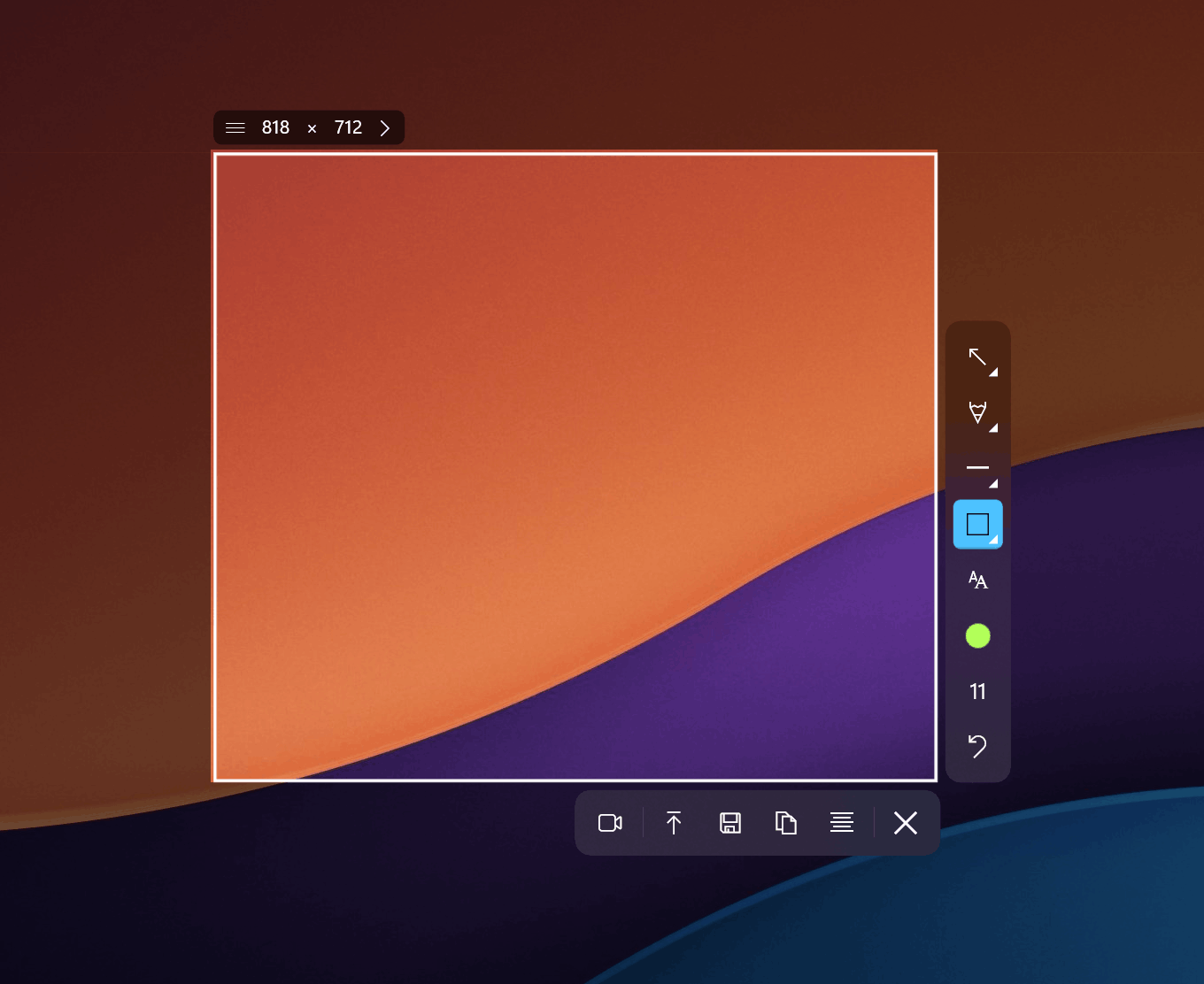
Screenpresso's workspace approach has its advantages. If you take dozens of screenshots per day and need to organize them, the built-in library is handy. Sleekshot focuses more on the capture-annotate-share cycle, which suits users who process screenshots individually rather than in batches.
Annotation Tools Compared
Both tools offer solid annotation capabilities, but with different strengths.
Screenpresso provides arrows, shapes, text, blur, numbering, and a "spotlight" effect that highlights one area while darkening the rest. The Pro version adds automatic sensitive data detection that can blur email addresses automatically.
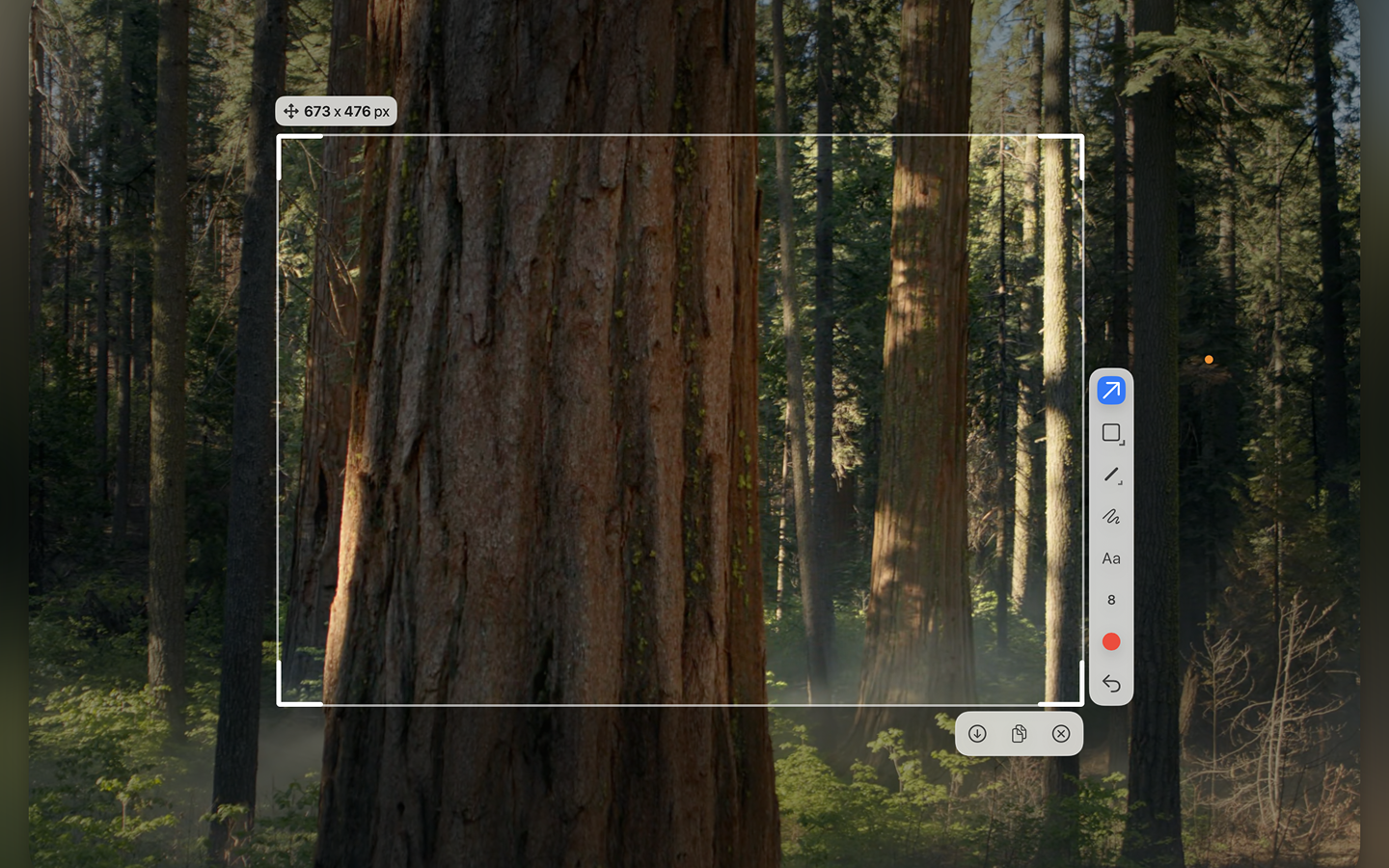
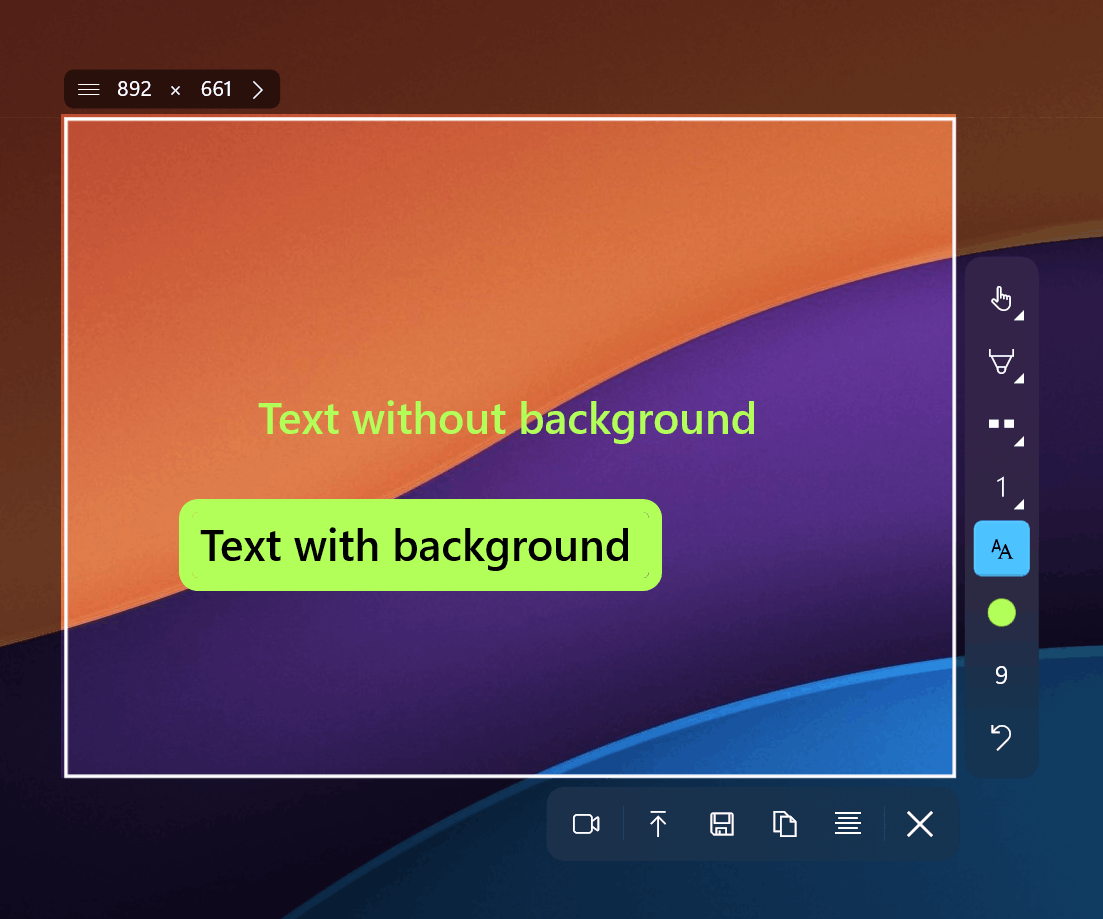
Sleekshot offers arrows with a distinctive clean style, rectangles, circles, solid and dashed lines, text with and without background, blur and pixelate, pencil with smooth stabilization, marker/highlighter, and numbered stepper circles. The shift-snap to 45-degree angles for arrows and lines is a small but welcome precision feature. You can also resize the canvas after adding annotations, which Screenpresso handles less gracefully.
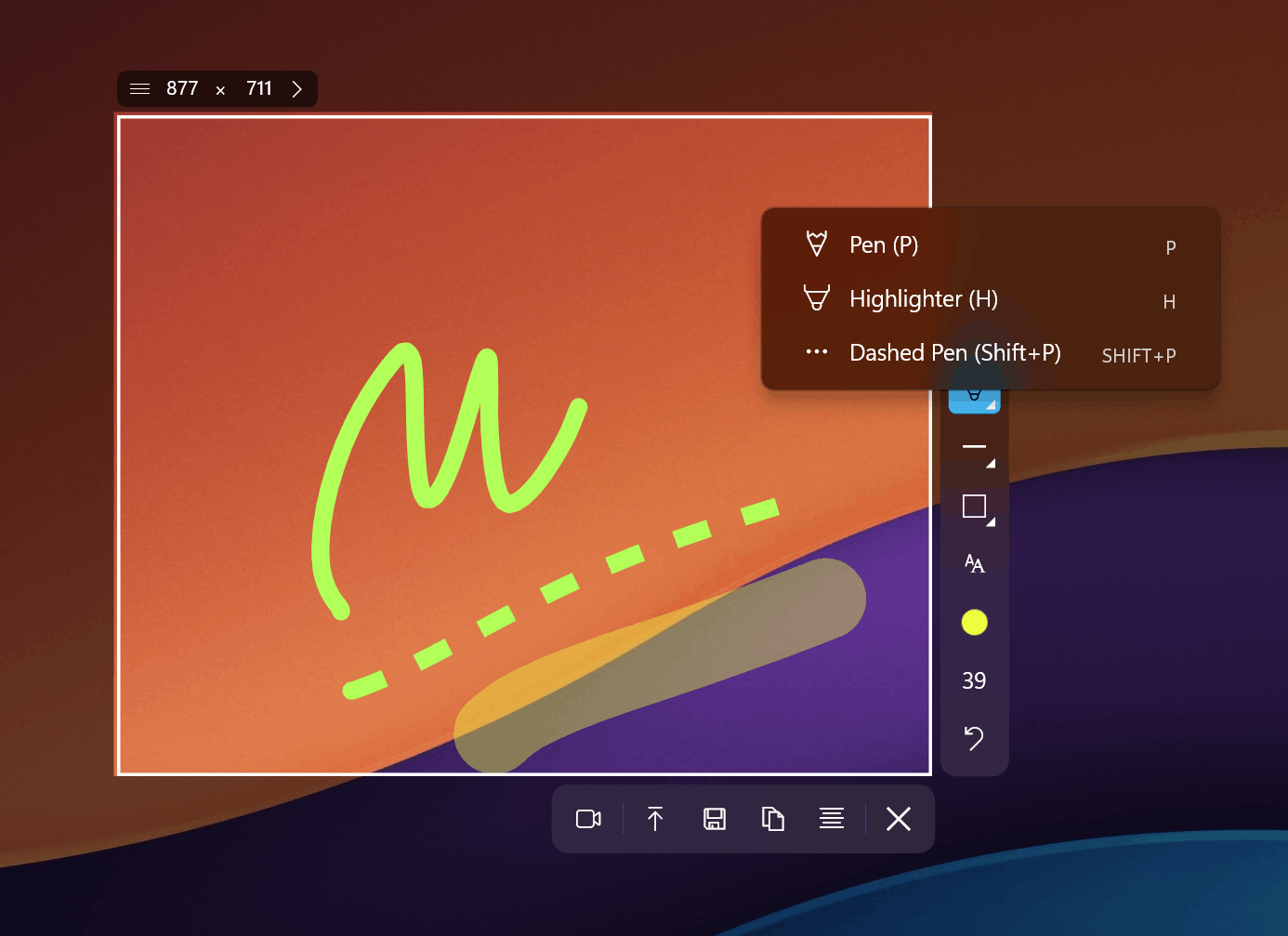
In our testing, we noticed that Sleekshot's pencil stabilization made a real difference for freehand annotations. Drawing on a screenshot with a mouse typically produces shaky lines, but the stabilization smooths them out significantly. Screenpresso's freehand drawing lacks this refinement.
Screen Recording Head-to-Head
Screenpresso can record your screen in MP4 format, with the Pro version offering additional editing capabilities. The free version records with a watermark and has limited output options.
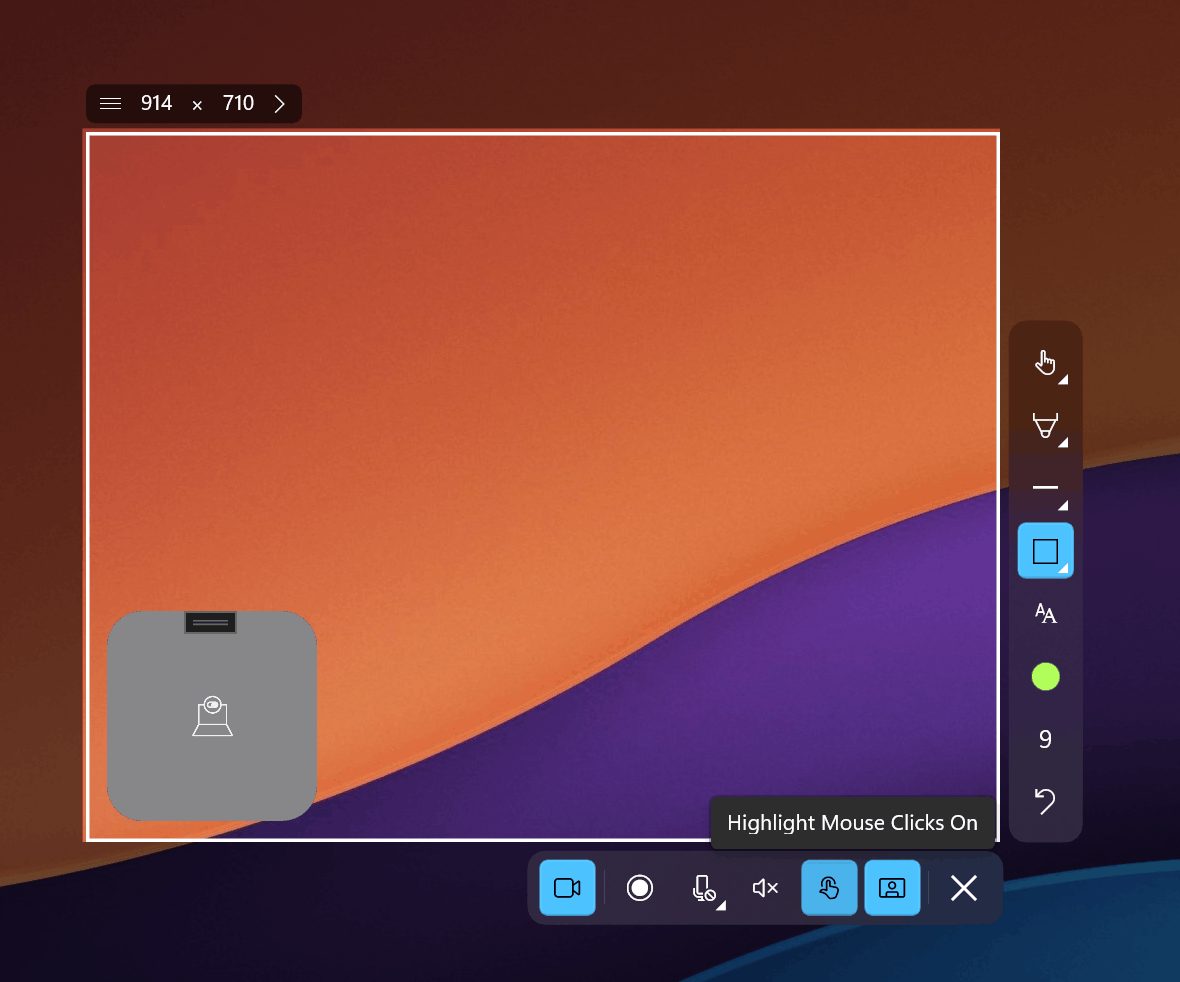
Sleekshot records without time limits, offers cursor highlighting so viewers can follow your mouse movements, lets you select your microphone source, and provides a webcam circle overlay. The free version adds a small watermark to recordings. For creating tutorials, product demos, or onboarding videos, these extras make Sleekshot the more capable recorder.
Pricing: The Real Comparison
At first glance, Screenpresso and Sleekshot have similar pricing: approximately $30 for a one-time license. But the details matter.
Screenpresso: $29.99 per user. Includes one year of updates and support. After one year, you can continue using your version, but updates require purchasing a maintenance extension. The site license for unlimited users costs $2,190. The free version includes watermarks on screenshots.
Sleekshot: $29 per PC. No maintenance fee, no update expiration. The free version includes all annotation tools and watermark-free screenshots. Screen recording in the free tier has a watermark.
For a team of 10, Screenpresso would cost $299.90 upfront plus annual maintenance renewals. Sleekshot costs $290 total with no ongoing fees. More importantly, Sleekshot's free version is genuinely usable for professional work since it doesn't watermark screenshots.
Expert Tips for Switching from Screenpresso
- Use Sleekshot's screen freeze to capture dynamic content. Screenpresso has no equivalent feature. When you need to capture a tooltip, context menu, or animation frame, screen freeze locks everything in place so you can select your region precisely.
- Configure preset capture sizes for consistency. If you maintain documentation that requires specific screenshot dimensions, set up presets in Sleekshot instead of manually adjusting each time. Screenpresso doesn't offer capture presets.
- Set your preferred default annotation tool. Sleekshot lets you choose which tool is selected immediately after capture. If you always start with arrows, set that as the default and save a click on every screenshot.
- Use cloud upload for instant sharing. Instead of saving to disk and uploading to your team's chat, use Sleekshot's built-in cloud upload to generate a shareable link directly.
- Take advantage of the macOS version for cross-platform consistency. If you work on both platforms, Sleekshot provides the same annotation tools and keyboard shortcuts on macOS, so you don't need to learn a separate tool.
Common Mistakes When Choosing a Screenshot Tool
- Assuming "free" means fully functional. Screenpresso's free version adds watermarks to screenshots, which makes it unsuitable for many professional uses. Always check what limitations the free tier actually has before committing.
- Trusting "lifetime" license claims at face value. Screenpresso's lifetime license only covers one year of updates. Read the fine print on any software license, especially for tools you plan to use long-term.
- Overlooking cross-platform needs. Even if you're on Windows now, consider whether you might switch platforms or collaborate with macOS users. Choosing a Windows-only tool like Screenpresso limits future flexibility.
- Prioritizing features you won't use. Screenpresso's Pro version includes a document generator for creating PDF/Word/HTML documentation from screenshots. It's a unique feature, but most users take screenshots for one-off sharing, not batch documentation. Don't pay for features that don't match your workflow.
Frequently Asked Questions
Does Sleekshot add watermarks to free screenshots?
No. Sleekshot's free version does not watermark screenshots or annotations. Only screen recordings in the free version include a small watermark. This is a key difference from Screenpresso, which watermarks everything in the free tier.
Can Sleekshot generate documentation like Screenpresso Pro?
Sleekshot does not include a built-in document generator. Screenpresso Pro can automatically compile screenshots into PDF, Word, or HTML documents, which is useful for creating training materials. If documentation generation is core to your workflow, that's a genuine Screenpresso advantage.
Does Screenpresso work on macOS?
No. Screenpresso is Windows-only, and the developers have stated they have no plans to build a macOS version. Sleekshot is available on both Windows and macOS, making it the better choice for users who work across platforms.
Is Sleekshot's $29 license really one-time, with no hidden fees?
Yes. Sleekshot's license is a single payment with no maintenance fees or subscription renewals. This contrasts with Screenpresso's model, where the $29.99 license includes only one year of updates, and continued updates require additional payment.
How does Sleekshot handle OCR compared to Screenpresso?
Screenpresso Pro includes OCR (optical character recognition) for extracting text from screenshots. Sleekshot has announced OCR as an upcoming feature but has not yet released it. If you need OCR today, Screenpresso currently has the advantage. Sleekshot's developer actively takes feature requests and the tool is being actively updated.
The Bottom Line
Screenpresso is a mature, well-built screenshot tool with some unique features like automatic documentation generation, sensitive data detection, and OCR. For Windows-only users who need those specific capabilities, it remains a strong option.
However, for the majority of screenshot workflows, Sleekshot is the better choice. Its free version is genuinely usable without watermarks on captures, the interface is significantly more modern, it works on both platforms, and the screen recording features are more capable. The pricing model is also clearer: $29 means $29, with no expiring update windows or maintenance upsells.
If you're frustrated by Screenpresso's watermarks, confused by its licensing, or need macOS support, give Sleekshot a try.
Download Sleekshot free and test it against your current workflow. If you want the full experience, the one-time $29 Pro license has no strings attached.