Best PicPick Alternative in 2026: Sleekshot
Best PicPick Alternative in 2026: Sleekshot Comparison
If you're searching for a PicPick alternative that works on both Windows and macOS without a subscription, Sleekshot is the strongest option available right now. It offers a modern native interface, powerful annotation tools, and screen recording with no time limits, all for free.
PicPick has been a solid screenshot tool for years, but its Windows-only limitation and dated ribbon interface leave room for a more polished competitor. In our testing, Sleekshot matched or exceeded PicPick's annotation capabilities while providing a significantly better user experience on Windows 11.
Quick Answer
Sleekshot is a free screenshot and screen recording tool for Windows and macOS. It replaces PicPick with a native WinUI 3 interface, better annotation tools, video recording with webcam overlay, and cloud sharing. No subscription required. A one-time $29 license unlocks additional features, but the free version covers most workflows.
Feature Comparison: Sleekshot vs PicPick
| Feature | Sleekshot | PicPick |
|---|---|---|
| Price | Free (Pro: $29 one-time) | Free personal / $24/year commercial |
| Windows Support | ✓ | ✓ |
| macOS Support | ✓ | ✗ |
| Screen Recording | ✓ (no time limit) | ✓ |
| Webcam Overlay | ✓ | ✗ |
| Cursor Highlighting | ✓ | ✗ |
| Cloud Upload & Sharing | ✓ | ✓ (via third-party) |
| Window Detection | ✓ | ✓ |
| Scrolling Capture | ✗ | ✓ |
| Screen Freeze | ✓ | ✗ |
| Native Dark Theme | ✓ | ✗ |
| Blur/Pixelate | ✓ | ✓ |
| Numbered Steps | ✓ | ✗ |
| Color Picker Tool | ✗ | ✓ |
| Pixel Ruler | ✗ | ✓ |
| Preset Capture Sizes | ✓ | ✗ |
| Canvas Resize After Capture | ✓ | ✓ |
| Installer Size | ~25 MB | ~71 MB |
Why Users Switch from PicPick to Sleekshot
The Interface Gap
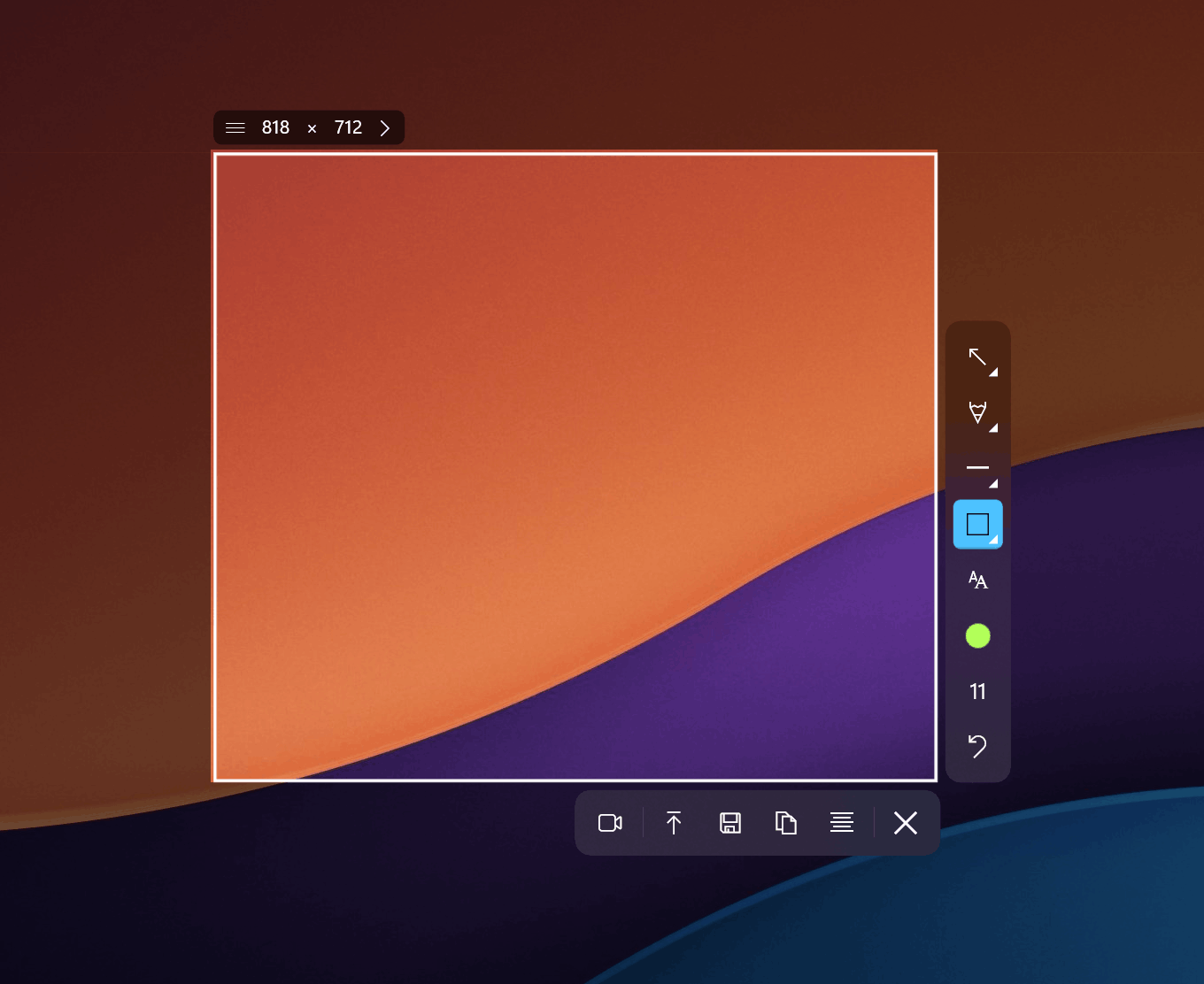
PicPick uses a Microsoft Office-style ribbon interface that feels increasingly outdated on Windows 11. It works, but it looks like it belongs in 2015. Sleekshot is built on WinUI 3, which means it uses native Windows 11 design elements including Mica materials, rounded corners, and proper light/dark theme switching that follows your system settings. The accent colors from your Windows personalization settings carry through into the app automatically.
In our testing, the visual difference was immediately noticeable. PicPick launches into a start screen reminiscent of older Office versions, while Sleekshot drops you straight into a clean, modern workspace.
Annotation Tools Head-to-Head
Both tools cover the basics: arrows, rectangles, text, and blur effects. But the execution differs. Sleekshot's arrows have a distinctive, clean style that looks professional in documentation and presentations. The stepper tool (numbered circles) is something PicPick simply doesn't offer, and it's invaluable for creating step-by-step guides.
Sleekshot also supports shift-snapping to 45-degree angles when drawing arrows and lines, which helps maintain visual consistency in technical documentation. The pencil tool includes smooth line stabilization, so freehand annotations look clean rather than shaky.
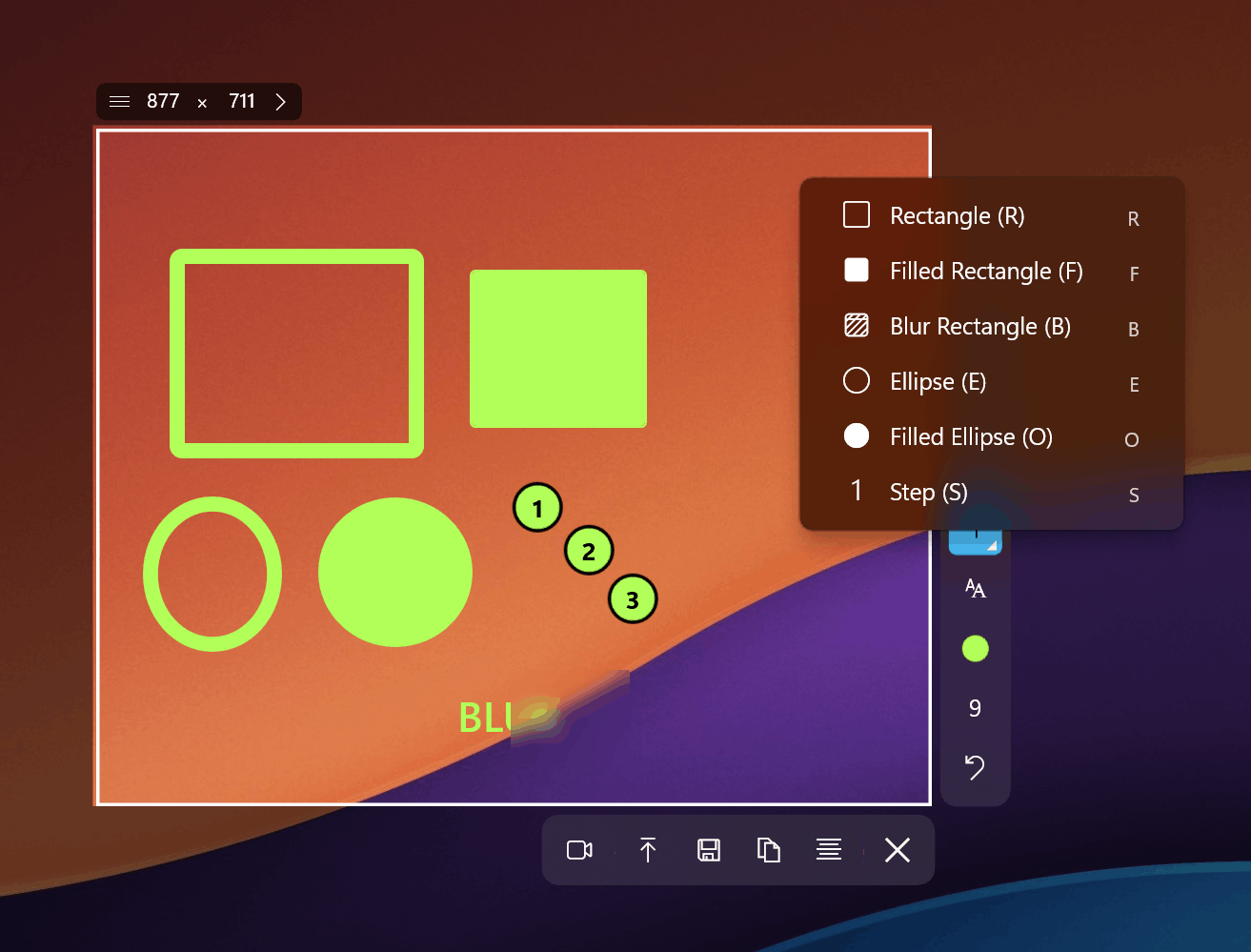
PicPick has one advantage here: it includes a color picker, pixel ruler, and protractor. These are niche tools that designers and front-end developers appreciate. If your workflow depends on measuring pixel distances or sampling colors from your screen, PicPick still has the edge in that specific area.
Screen Recording Differences
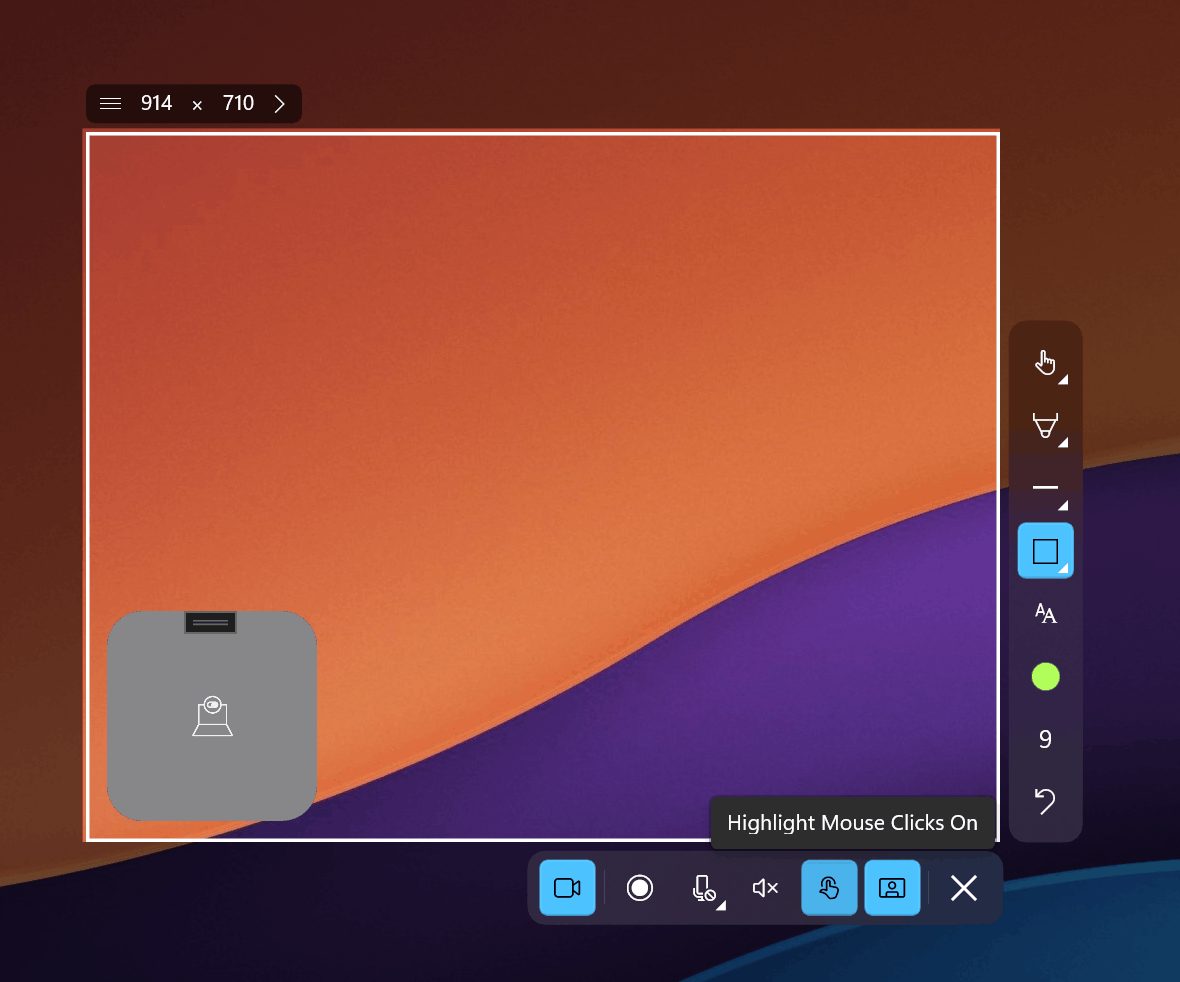
PicPick added screen recording relatively recently, supporting MP4 and GIF output with adjustable frame rates. It gets the job done for basic recordings. Sleekshot takes recording further with cursor highlighting, microphone selection, and a webcam circle overlay. There are no time limits on recordings, and the only limitation in the free version is a small watermark.
For anyone creating tutorials, product demos, or bug reports, the webcam overlay adds a personal touch that PicPick cannot match.
Cross-Platform Availability
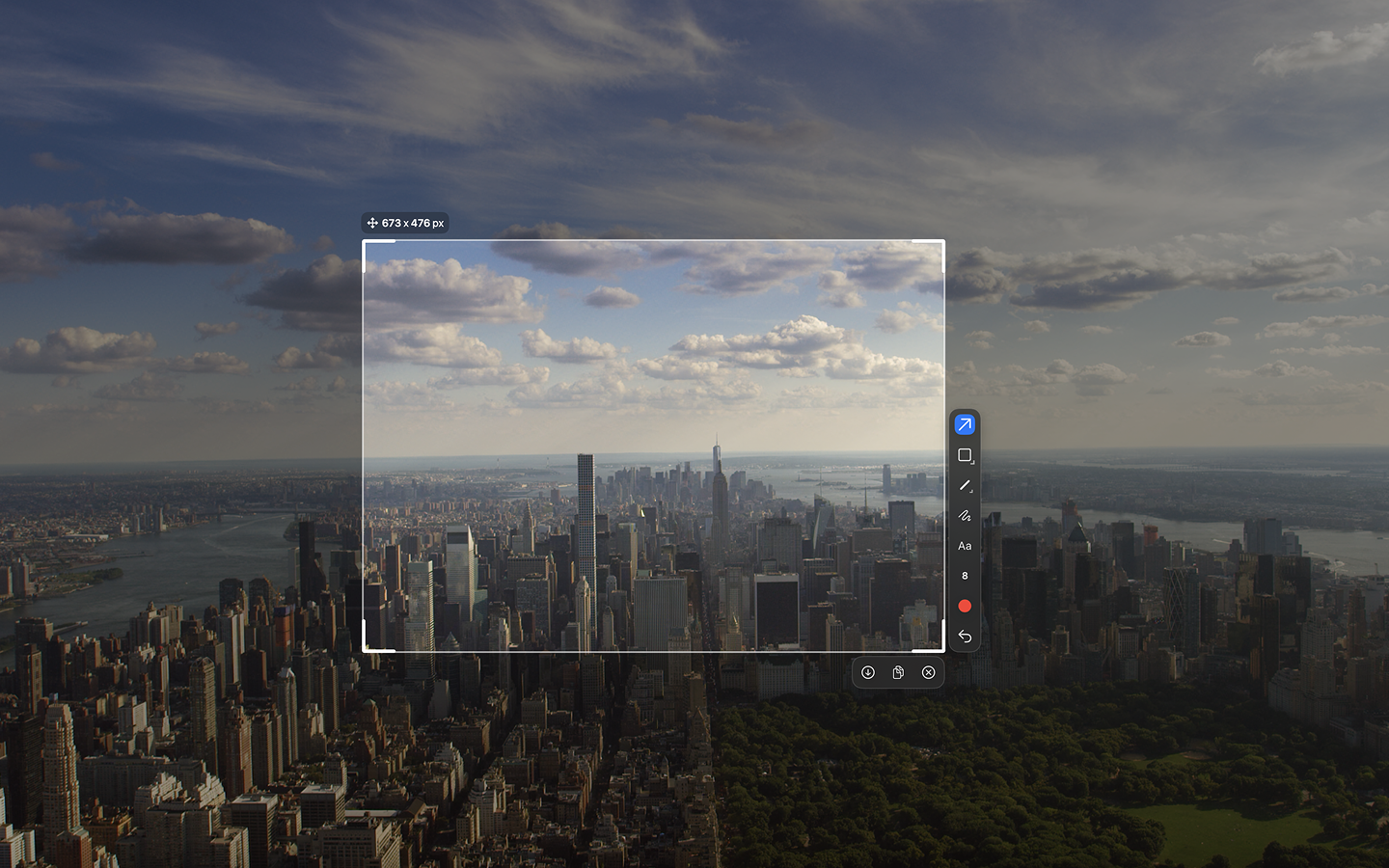
PicPick is strictly Windows-only. It supports versions from XP through Windows 11, which is broad compatibility, but it completely ignores macOS users. Sleekshot runs on both Windows and macOS, with the macOS version supporting all features except screen recording (which is currently in development). If you work across both platforms, Sleekshot provides a consistent experience.
Pricing Breakdown
PicPick is free for personal use. Commercial use requires a license: $24/year per user or $55 for a lifetime license. Each license covers two computers. Team plans start at $96/year for up to 5 users, and enterprise pricing reaches $2,400 for unlimited installations.
Sleekshot is free for most use cases. The free version includes all screenshot and annotation features plus screen recording with a watermark. A one-time $29 license removes limitations and unlocks all features. There's no subscription, no annual renewal, and no per-seat pricing headaches.
For commercial teams, the difference is significant. A team of 10 using PicPick would pay $240/year or $550 lifetime. With Sleekshot, it's $290 total, once.
Expert Tips for Switching from PicPick
- Set your default tool in Sleekshot's settings. If you always reach for the arrow tool first, configure it as the default so it's selected every time you take a screenshot. PicPick doesn't offer this level of customization for the annotation workflow.
- Use the screen freeze feature for capturing tooltips and dropdown menus. This freezes your entire screen, letting you carefully select exactly the area you need. PicPick's region capture doesn't freeze the screen, making hover states harder to capture.
- Take advantage of preset capture sizes. If you regularly need screenshots at specific dimensions (for app store listings, documentation templates, or social media), configure presets rather than cropping after the fact.
- Try the cloud upload for team collaboration. Instead of saving files locally and attaching them to messages, upload directly from Sleekshot and share the link. This is faster than PicPick's workflow of saving to a cloud storage folder.
Common Mistakes When Choosing a Screenshot Tool
- Choosing based on feature count alone. PicPick bundles a color picker, pixel ruler, and protractor. These sound impressive in a feature list, but most users never touch them. Focus on the features you actually use daily: capture, annotate, share.
- Ignoring the subscription model. PicPick's $24/year commercial license seems cheap, but it adds up. After three years, you've paid $72 for something Sleekshot offers for $29 total.
- Overlooking platform needs. If there's any chance you'll use a Mac in the future, investing time into learning a Windows-only tool like PicPick means starting over later. Sleekshot works on both platforms now.
- Settling for outdated design. A tool you use multiple times per day should look and feel good. PicPick's ribbon interface is functional but visually dated, which affects the overall experience.
Frequently Asked Questions
Is Sleekshot really free, or is it a limited trial?
Sleekshot's free version is genuinely free with no time limit. You get full screenshot capture, all annotation tools, and screen recording. The free version adds a small watermark to recordings. The $29 one-time license removes this and unlocks additional features, but there's no trial period or expiration.
Can Sleekshot do scrolling captures like PicPick?
Currently, Sleekshot does not support scrolling window capture. This is one area where PicPick still has an advantage. If scrolling capture is essential to your workflow, you may want to keep PicPick installed alongside Sleekshot for that specific use case. Sleekshot is actively developed, and new features are added regularly based on user requests.
Does Sleekshot work with older versions of Windows?
Sleekshot requires Windows 10 or later, with the best experience on Windows 11 where it takes full advantage of the native WinUI 3 framework. PicPick supports older systems back to Windows XP, so if you're running Windows 7 or 8, PicPick is the safer choice.
How does Sleekshot compare to PicPick for creating tutorials?
Sleekshot is better suited for tutorial creation thanks to its numbered stepper circles, screen recording with webcam overlay, and cursor highlighting. PicPick can handle basic tutorial screenshots but lacks the recording enhancements that make tutorials more engaging.
Is PicPick safe to download for free?
PicPick from its official website (picpick.app) is safe. However, the free version lacks automatic updates, so you need to manually check for new versions. Some users have reported issues with third-party download sites bundling unwanted software. Always download from the official source.
The Bottom Line
PicPick is a capable tool with a long history, and it still makes sense for users who need its unique design utilities like the color picker and pixel ruler. But for the core screenshot workflow of capture, annotate, and share, Sleekshot delivers a better experience with a modern interface, cross-platform support, superior screen recording, and simpler pricing.
If you're currently using PicPick and feeling limited by its aging interface or Windows-only restriction, Sleekshot is worth trying. The free version costs nothing, and the transition takes minutes.
Download Sleekshot free and see the difference for yourself. If you decide the Pro features are worth it, the one-time $29 license is the last screenshot tool purchase you'll ever make.