Sleekshot vs Monosnap: Best Alternative in 2026
Sleekshot vs Monosnap: Best Screenshot Alternative in 2026
If you're looking for a Monosnap alternative, Sleekshot is a strong choice that offers better annotation tools, unlimited free screen recording, and a native Windows 11 interface without recurring subscription fees. While Monosnap remains popular, recent reports of memory leaks, abandoned development, and forced commercial license upgrades have pushed many users to explore other options.
We spent several weeks testing both tools side by side on Windows 11 and macOS to give you an honest, detailed comparison.
Quick Answer
Sleekshot outperforms Monosnap in annotation variety, screen recording flexibility, and pricing transparency. Monosnap's free tier limits you to personal use with 2 GB of cloud storage and caps video recording, while Sleekshot gives you full annotation tools and unlimited recording for free. If you need a reliable, modern screenshot tool without subscription pressure, Sleekshot is the better pick.
Feature Comparison Table
| Feature | Sleekshot | Monosnap |
|---|---|---|
| Free to use | ✓ (full annotation tools) | ✓ (personal use only) |
| Windows support | ✓ (Windows 10/11) | ✓ (Windows 10/11) |
| macOS support | ✓ | ✓ |
| Linux support | ✗ | ✗ |
| Screen recording | ✓ (no time limit, free) | ✓ (limited on free plan) |
| Webcam overlay | ✓ | ✗ |
| Cursor highlighting | ✓ | ✗ |
| Screen freeze on capture | ✓ | ✗ |
| Window auto-detection | ✓ | ✓ |
| Arrows | ✓ (distinctive style) | ✓ (basic) |
| Stepper/numbered circles | ✓ | ✗ |
| Blur/pixelate | ✓ | ✓ |
| Highlighter/marker | ✓ | ✗ |
| Dashed lines | ✓ | ✗ |
| Text with background | ✓ (with/without) | ✓ (basic) |
| Canvas resize after annotation | ✓ | ✗ |
| Cloud upload & sharing | ✓ | ✓ (2 GB free) |
| OCR | Coming soon | ✓ |
| Dark/light theme | ✓ (follows system) | ✓ |
| Native Windows 11 UI | ✓ (WinUI 3) | ✗ |
| Pricing | Free / $29 one-time | Free / $2.50-$5/mo subscription |
| App size (Windows) | ~30 MB | ~73 MB |
Interface and User Experience
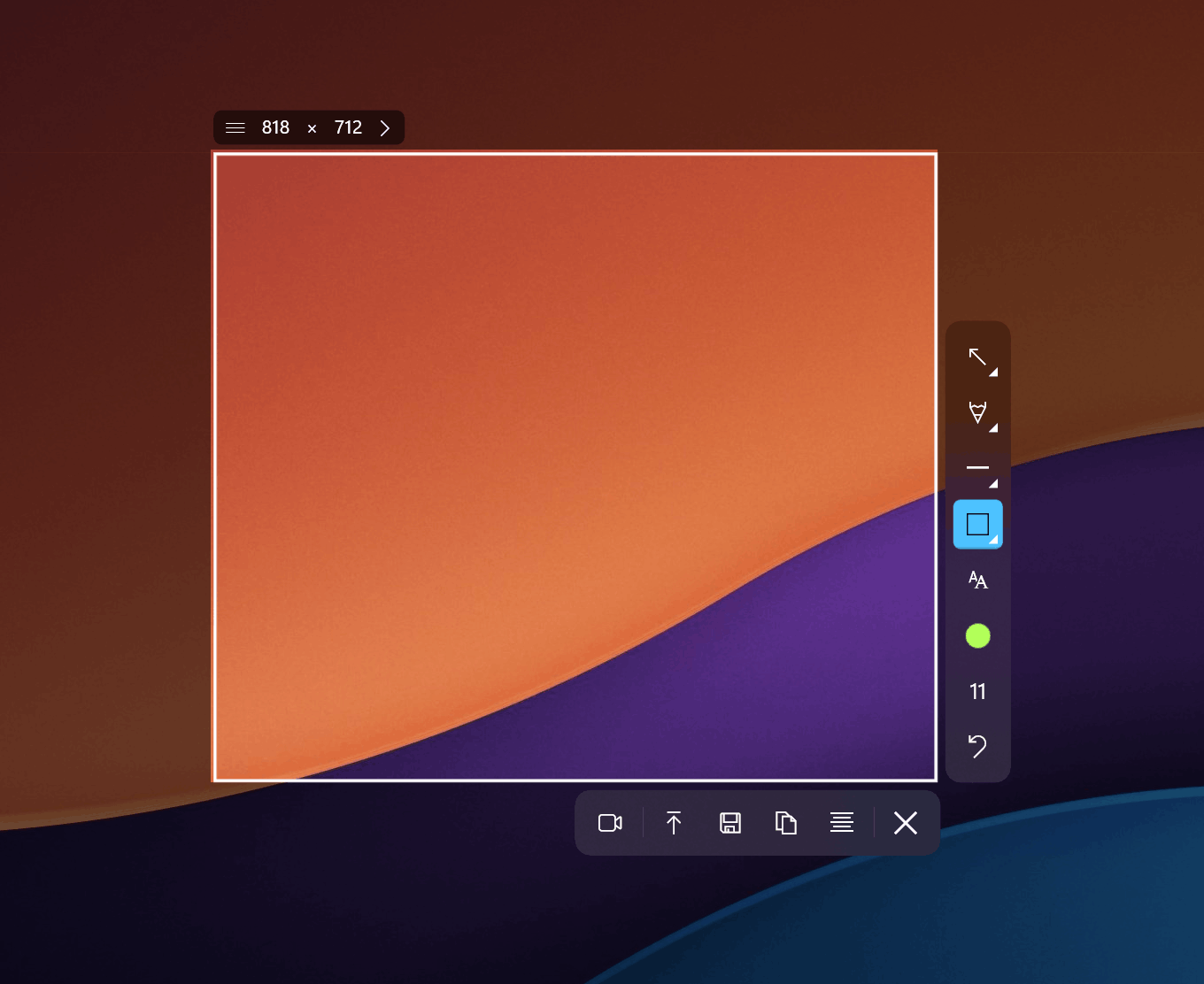
The first thing you notice when switching from Monosnap to Sleekshot is the interface. Sleekshot is built on WinUI 3, which means it looks and feels like a native Windows 11 application. The toolbar, menus, and settings all follow Microsoft's Fluent Design language. It picks up your system accent color and automatically switches between light and dark themes based on your Windows settings.
Monosnap uses its own custom UI that looks functional but dated. On Windows, the app weighs in at about 73 MB compared to Sleekshot's leaner footprint. In our testing, Monosnap occasionally showed sluggish behavior when handling multiple screenshots in quick succession, which aligns with the memory leak reports we found on review platforms.
Capture Workflow
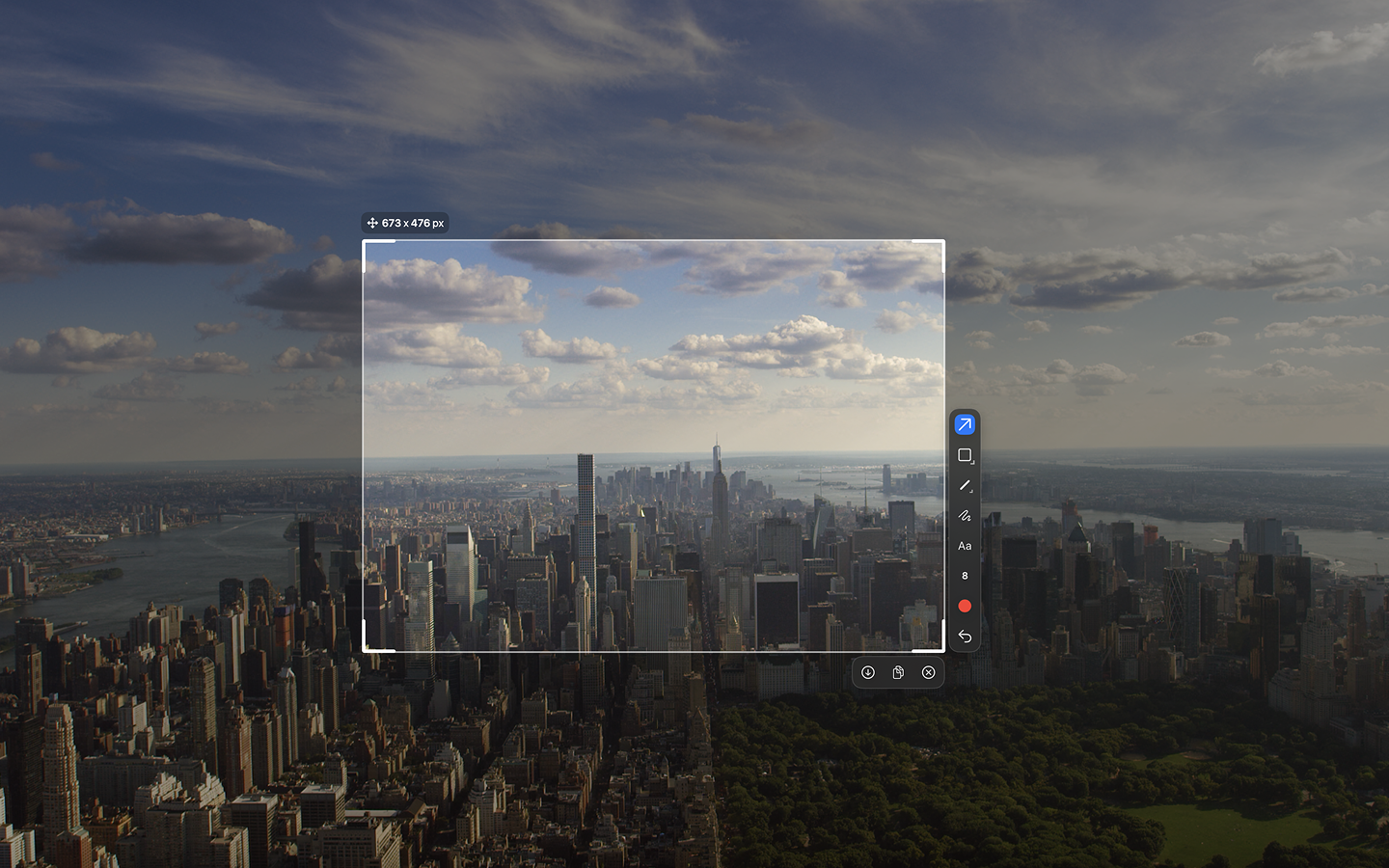
Sleekshot introduces a screen freeze feature during capture. When you trigger a screenshot, the entire screen freezes in place, letting you carefully select your region without worrying about tooltip popups disappearing or animations moving. This sounds like a small detail, but it makes a real difference when documenting dynamic interfaces.
Both tools support window auto-detection where you can click on any window and capture it instantly. Sleekshot adds preset capture sizes, which is useful when you need consistent dimensions for blog posts or documentation. You can also set a default annotation tool in settings, so it's ready the moment you take a capture.
Annotation Tools Compared
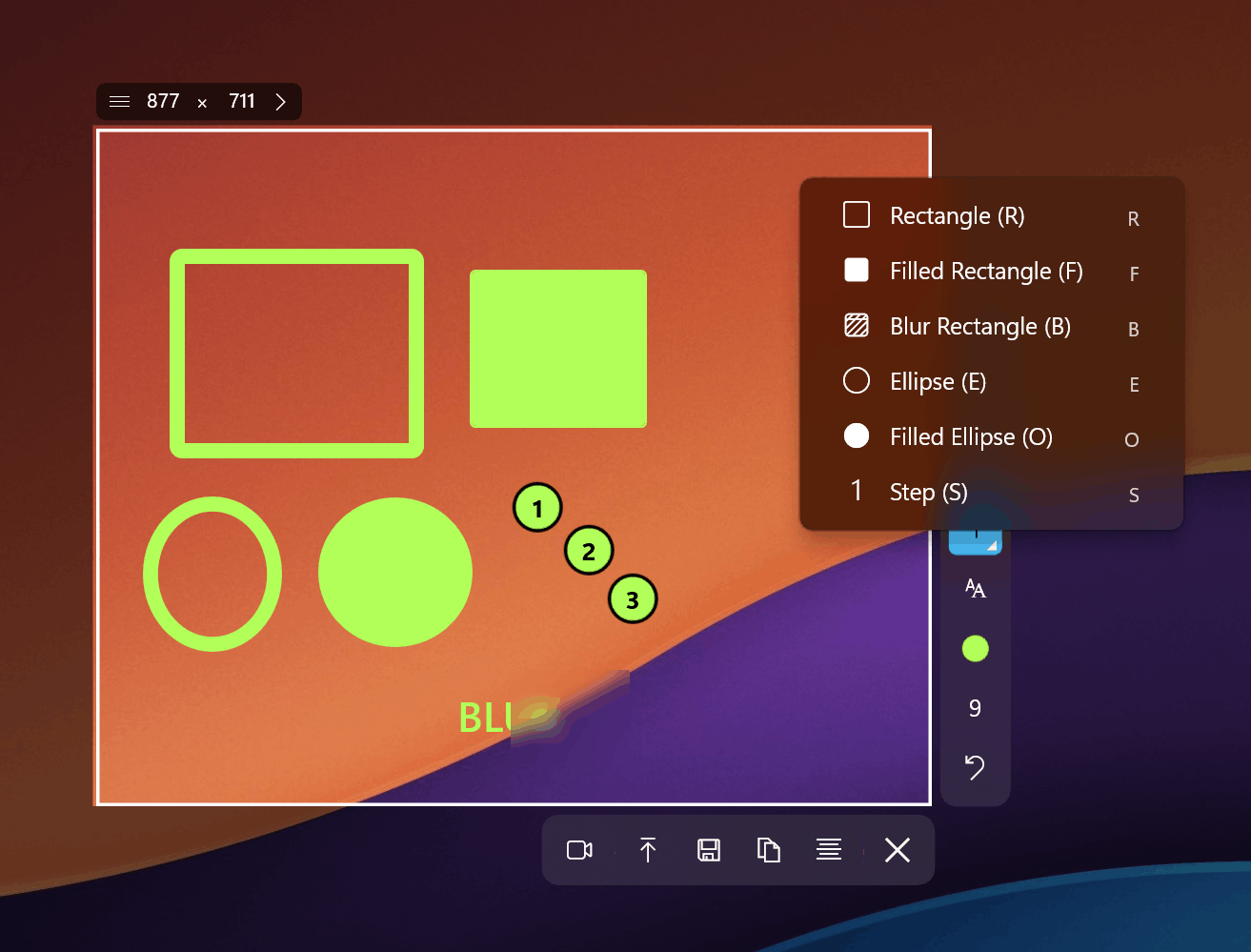
This is where Sleekshot pulls significantly ahead. Both tools offer the basics like arrows, rectangles, circles, text, and blur. But Sleekshot goes further with features that Monosnap simply does not have.
What Sleekshot Offers That Monosnap Doesn't
- Stepper numbered circles: Perfect for creating step-by-step tutorials. You click to place numbered markers (1, 2, 3...) directly on the screenshot. Monosnap has nothing equivalent.
- Highlighter/marker tool: A semi-transparent drawing tool that works like a real highlighter pen. Monosnap lacks this.
- Dashed lines: Both solid and dashed line styles are available. Useful for wireframe annotations or indicating optional elements.
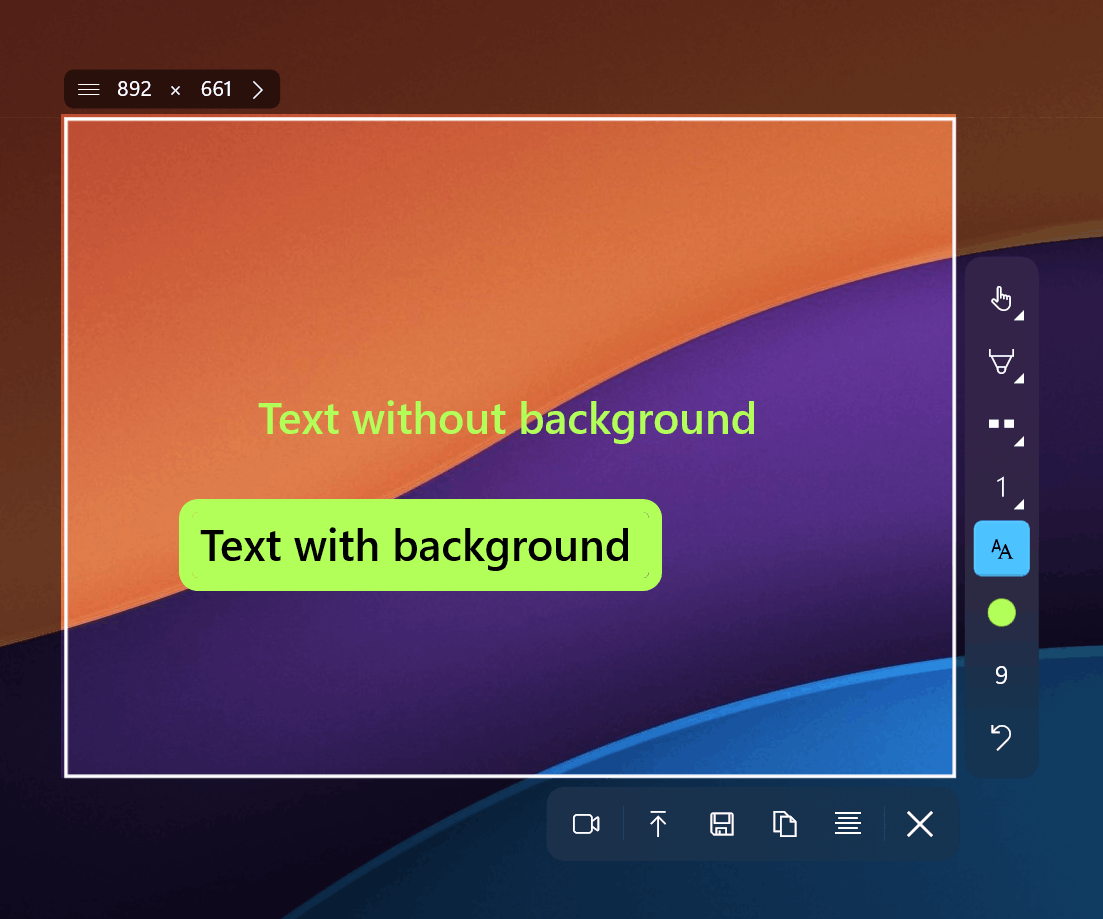
- Text with and without background: You can add text with a colored background panel for readability, or without one for a cleaner look. Monosnap only offers basic text.
- Pen with smooth stabilization: Freehand drawing with stabilization that smooths out shaky mouse movements.
- Canvas resize after annotations: Add extra space around your screenshot after you've already annotated it. This lets you extend the canvas when you realize you need more room for a callout.
- Shift-snap to 45-degree angles: Hold Shift while drawing arrows or lines to snap them to perfect 45-degree increments.
Monosnap does offer OCR text extraction, which Sleekshot currently lacks but has confirmed as an upcoming feature. If OCR is critical to your workflow right now, that's a point in Monosnap's favor.
Screen Recording
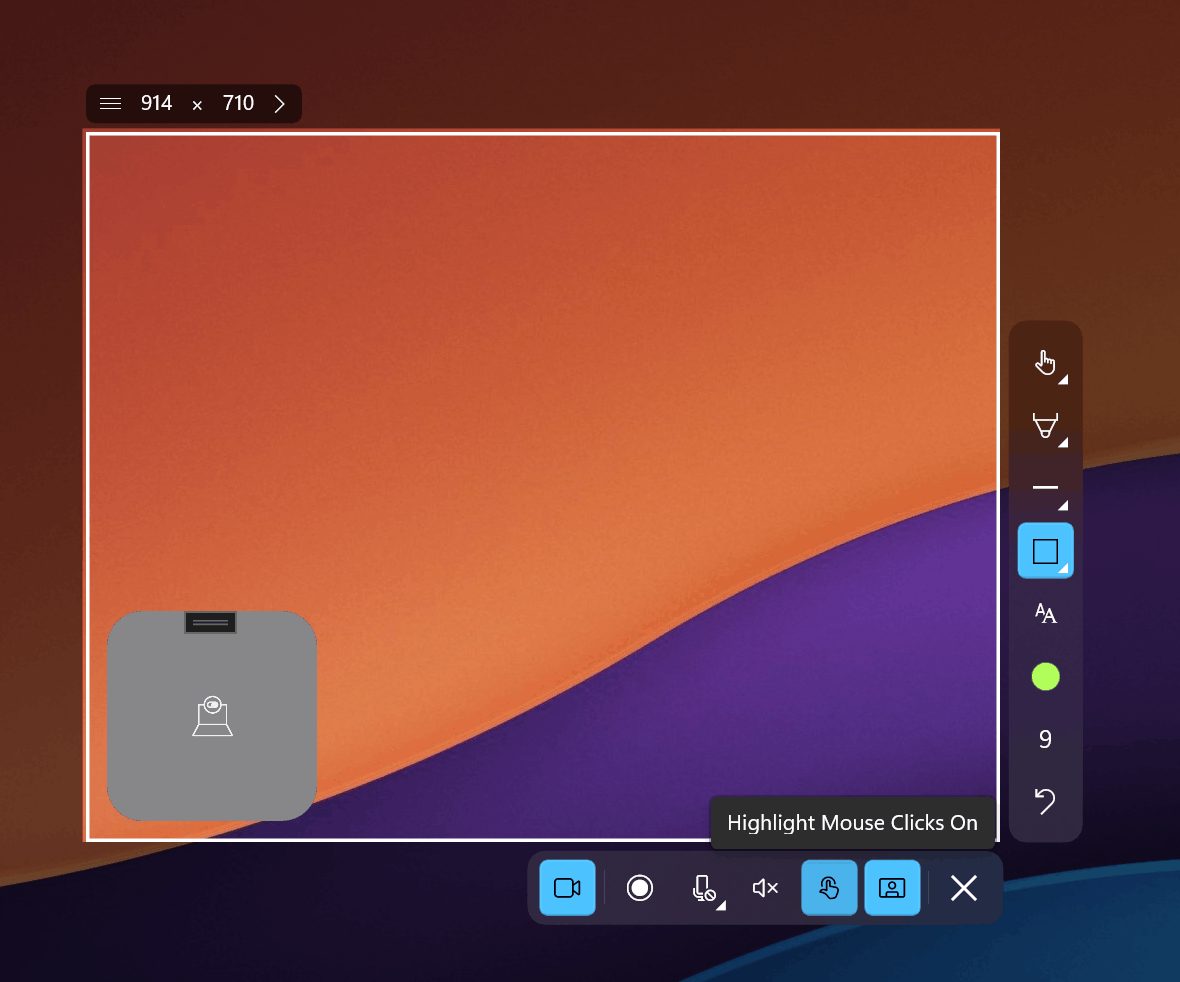
Screen recording is a major differentiator. Sleekshot provides unlimited screen recording for free with no time limits. The only limitation on the free tier is a small watermark. You get cursor highlighting to make mouse movements visible in tutorials, microphone selection for voice narration, and a webcam circle overlay that floats on top of your recording.
Monosnap's free plan restricts video recording capabilities. To unlock full recording features, you need the paid subscription at $2.50 or $5 per month depending on use case. Over a year, that adds up to $30 to $60, which is more than Sleekshot's one-time $29 license that removes the watermark permanently.
Pricing Breakdown
Monosnap uses a subscription model. The free plan covers personal use only with 2 GB cloud storage and limited recording. The Non-Commercial plan costs $2.50/month, and the Business plan runs $5/month. On the Mac App Store, prices are higher: $4.49/month for non-commercial and $14.49/month for business use. Multiple users have reported being flagged for "commercial use" on the free plan and forced to upgrade, even when using it for personal tasks.
Sleekshot takes a different approach. All annotation tools and screen recording are free. If you want to remove the watermark from recordings and support development, a one-time payment of $29 per PC covers it. No monthly charges, no surprise commercial use detection, no subscription management.
For a team of five people, Monosnap Business would cost $300/year. Five Sleekshot licenses cost $145 total, once.
Platform Support
Both tools run on Windows and macOS. Sleekshot's macOS version includes all features except screen recording, which is confirmed as coming soon. Monosnap's macOS version (v7.0, released January 2026, 80.4 MB) includes recording, giving it an edge on Mac for now.
Neither tool supports Linux. If you need Linux support, consider downloading Sleekshot for your Windows or Mac machine and using a different tool on Linux.
Known Issues with Monosnap
During our research, we found several recurring complaints from Monosnap users across G2, SourceForge, and Reddit:
- Memory leaks: The app gradually consumes more RAM over time, requiring periodic restarts.
- Commercial use detection: Users report being kicked off the free plan with claims of commercial use, then required to pay.
- Refund difficulties: At least one user reported purchasing a yearly plan, encountering issues on day one, and being denied a refund.
- Chrome extension problems: The browser extension freezes when accessing preferences and account settings.
- Development status unclear: The G2 profile has been inactive for over a year, and some users question whether the product is still actively developed.
In contrast, Sleekshot is actively developed by a solo developer who takes feature requests directly from users. Updates ship regularly, and the development roadmap is transparent.
Expert Tips for Switching from Monosnap
- Set your default tool: If you always start with arrows (like most people), configure it in Sleekshot's settings so it's selected automatically after every capture. This matches the Monosnap workflow where your last tool stays active.
- Use preset sizes for documentation: If you create product documentation, set up a 1280x720 preset to keep all your screenshots consistent. Monosnap doesn't offer this.
- Master the Shift key: Hold Shift when drawing arrows or lines to lock them to 45-degree angles. This creates cleaner diagrams than freehand alignment.
- Try the stepper tool for tutorials: Instead of manually numbering steps in text, use the stepper tool. It auto-increments and stays visually consistent across your whole guide.
- Upload and share via link: Sleekshot's cloud upload works similarly to Monosnap's sharing feature. Capture, annotate, upload, share the link. The workflow is nearly identical.
Common Mistakes When Choosing a Screenshot Tool
- Picking based on the free tier alone: Monosnap's free plan looks generous until you hit the commercial use restriction or recording limits. Always check what happens when you need more.
- Ignoring subscription costs over time: A $5/month tool costs $60/year. After two years, you've paid $120 for something you could own for $29.
- Overlooking annotation depth: Basic arrows and text are fine for casual use, but if you create tutorials or documentation regularly, features like steppers, highlighters, and dashed lines save real time.
- Assuming older tools are more stable: Monosnap has been around longer, but its reported memory leaks and development inactivity suggest that longevity doesn't always equal reliability.
Frequently Asked Questions
Is Sleekshot really free compared to Monosnap?
Yes. Sleekshot's annotation tools, screenshot capture, and screen recording are all free to use. The only paid feature is watermark removal at $29 one-time. Monosnap's free plan restricts you to personal use only and caps recording features, pushing you toward a $2.50 to $5 monthly subscription for full access.
Can Sleekshot replace Monosnap for screen recording?
For most users, yes. Sleekshot offers unlimited recording with cursor highlighting, webcam overlay, and microphone input at no cost. The free version adds a small watermark. Monosnap limits recording on its free plan and charges monthly for the full feature set.
Does Sleekshot work on macOS like Monosnap does?
Sleekshot runs on macOS with full annotation support, cloud upload, and the same interface quality. Screen recording on macOS is not yet available but is confirmed as coming. Monosnap currently offers recording on both platforms.
What about Monosnap's OCR feature?
Monosnap includes OCR for extracting text from screenshots, which is useful for copying text from images. Sleekshot has confirmed OCR as an upcoming feature but does not have it yet. If OCR is essential to your daily work, this is one area where Monosnap currently has an advantage.
How do I switch from Monosnap to Sleekshot?
Download Sleekshot from the download page, install it, and configure your preferred hotkeys. Both tools use similar keyboard shortcut patterns. You can run both side by side during a transition period. Sleekshot will pick up your Windows theme and accent colors automatically, so the interface feels familiar right away.
Conclusion
Monosnap served many users well for years, but its subscription model, commercial use restrictions, and reports of declining development activity have created an opening for better alternatives. Sleekshot offers a more complete annotation toolkit, unlimited free screen recording, a native Windows 11 experience, and transparent one-time pricing.
If you're tired of subscription fees or frustrated with Monosnap's limitations, download Sleekshot for free and test it yourself. You can also check the one-time license if you decide to go watermark-free.