Sleekshot vs Flameshot: Best Alternative in 2026
Sleekshot vs Flameshot: Best Screenshot Alternative in 2026
Looking for a Flameshot alternative that works reliably on Windows and macOS? Sleekshot offers a polished, native experience with deeper annotation tools, built-in screen recording, and cloud sharing that Flameshot lacks. While Flameshot is a solid open-source option for Linux users, its Windows and macOS support has notable gaps that make it hard to recommend as a primary tool on those platforms.
We tested Flameshot 13.3.0 alongside Sleekshot on both Windows 11 and macOS to give you a practical, hands-on comparison.
Quick Answer
Sleekshot is the better choice if you work on Windows or macOS. It provides screen recording (which Flameshot lacks entirely), a native Windows 11 interface, cloud upload with shareable links, and a wider set of annotation tools including numbered steppers and highlighters. Flameshot remains a good pick for Linux users who want a free, open-source capture tool, but on Windows and Mac, Sleekshot delivers a more complete package.
Feature Comparison Table
| Feature | Sleekshot | Flameshot |
|---|---|---|
| Free to use | ✓ | ✓ (open source) |
| Windows support | ✓ (native WinUI 3) | ✓ (basic, added dark mode in v13) |
| macOS support | ✓ | ✓ (deprecated on Homebrew) |
| Linux support | ✗ | ✓ (primary platform) |
| Screen recording | ✓ (no time limit, free) | ✗ |
| Webcam overlay | ✓ | ✗ |
| Cursor highlighting | ✓ | ✗ |
| Screen freeze on capture | ✓ | ✗ |
| Window auto-detection | ✓ | ✗ |
| Arrows | ✓ (distinctive style) | ✓ (basic, reversed drawing in v13) |
| Stepper/numbered circles | ✓ | ✓ (circle counter) |
| Blur/pixelate | ✓ | ✓ |
| Highlighter/marker | ✓ | ✓ (marker tool) |
| Dashed lines | ✓ | ✗ |
| Text with background | ✓ (with/without) | ✗ (text only, no background option) |
| Canvas resize after annotation | ✓ | ✗ |
| Cloud upload & sharing | ✓ | ✗ (Imgur disabled in v13) |
| Pinned screenshots | ✗ | ✓ (with rotation, transparency) |
| Dark/light theme | ✓ (follows system) | ✓ (added in v13, Windows only) |
| Native Windows 11 UI | ✓ (WinUI 3) | ✗ (Qt-based) |
| Pricing | Free / $29 one-time | Free (open source) |
| App size (Windows) | ~30 MB | ~20.5 MB (MSI) / ~53 MB (ZIP) |
| Last update | Active development | v13.3.0 (October 2025) |
Why Users Look for Flameshot Alternatives
Flameshot earned a loyal following among Linux users for good reason. It's free, open source, and provides functional annotation tools. But version 13.0, released in August 2025 after a three-year development gap, revealed how much the project had fallen behind. Users on Windows and macOS increasingly find that Flameshot doesn't meet their needs, and several platform-specific issues make the experience frustrating.
The macOS Problem
Flameshot on macOS requires version 14 (Sonoma) or later. More critically, Homebrew has deprecated Flameshot because it fails the macOS Gatekeeper security check. The deprecation notice states it will be fully disabled on September 1, 2026. For Mac users, this means Flameshot's days as a convenient install are numbered.
The Wayland Problem
On Linux with Wayland (which is becoming the default on most distributions), Flameshot has well-documented issues. Multi-monitor setups fail to capture the full desktop, and users encounter persistent permission prompts or outright launch failures. A GitHub issue tracking this problem has been open since 2018 with no resolution after eight years.
No Cloud Sharing
Flameshot 13.0 disabled the Imgur uploader, citing privacy risks from accidental uploads of sensitive data. While the reasoning is sound, the result is that Flameshot now has zero built-in cloud sharing. You capture and annotate locally, then manually upload through a separate service.
Interface and User Experience
Sleekshot provides a full editor window built on WinUI 3 with Microsoft's Fluent Design language. The toolbar, settings, and annotation panels all look native on Windows 11. It automatically follows your system theme (light or dark) and picks up your Windows accent color.
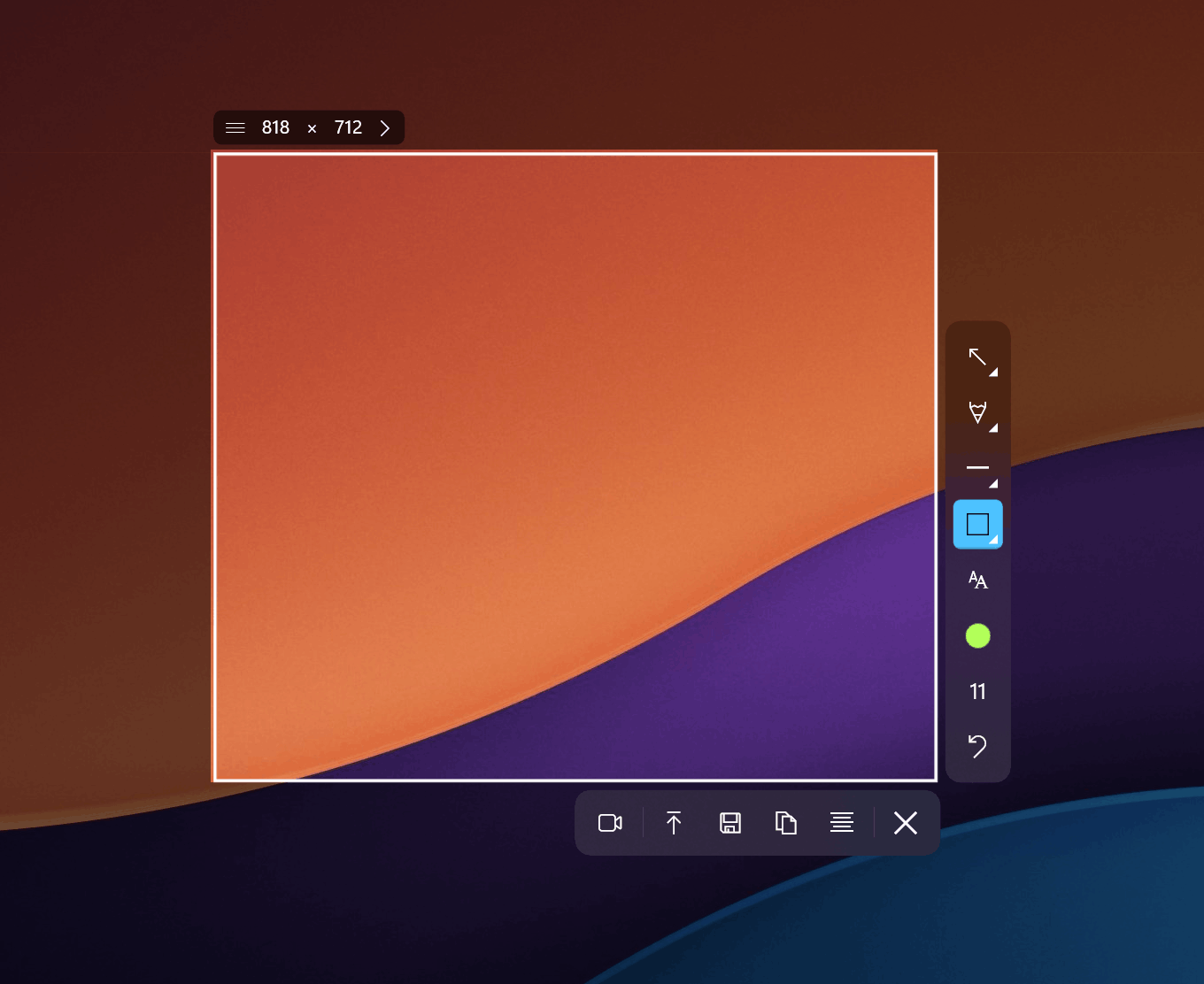
Flameshot takes a different approach. It overlays annotation tools directly on the captured screenshot without opening a separate editor window. This inline editing is fast for quick markups, but it limits what you can do. There's no dedicated workspace for more detailed annotation work. Flameshot added dark mode support for Windows in version 13, but the UI is Qt-based and doesn't match Windows 11 design conventions.
Sleekshot's screen freeze feature pauses the display during capture, letting you select your region without worrying about tooltips or animations disappearing. Flameshot lacks this capability. Sleekshot also detects window boundaries automatically, so you can click any window to capture it instantly. Flameshot requires manual region selection.
Annotation Tools Compared
Both tools offer core annotation features like arrows, rectangles, text, and blur. The overlap is real, but the differences matter when you use these tools daily.
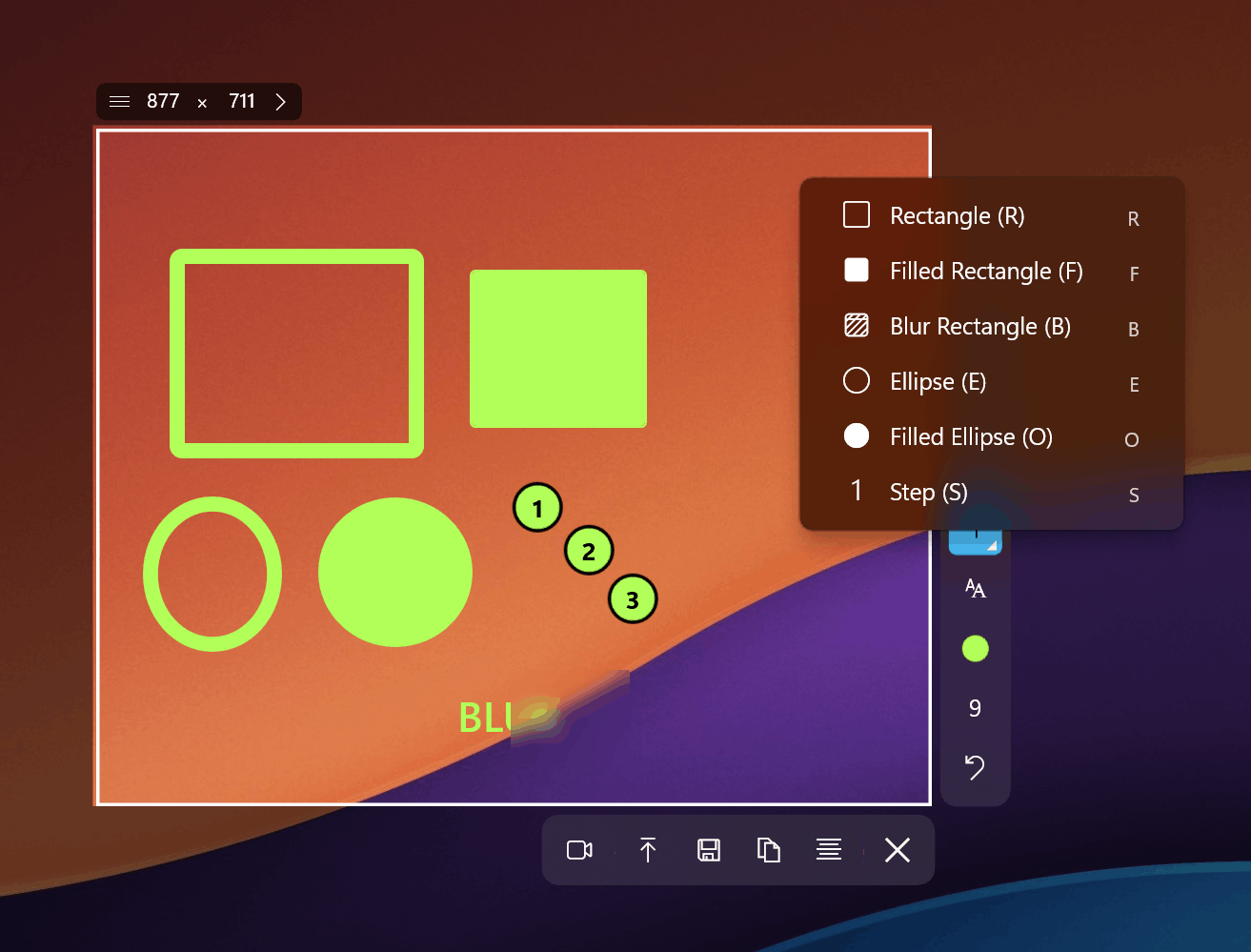
Where Sleekshot Excels
- Text with and without background: Sleekshot lets you place text with a colored background panel for visibility or without one for a minimal look. Flameshot offers plain text only.
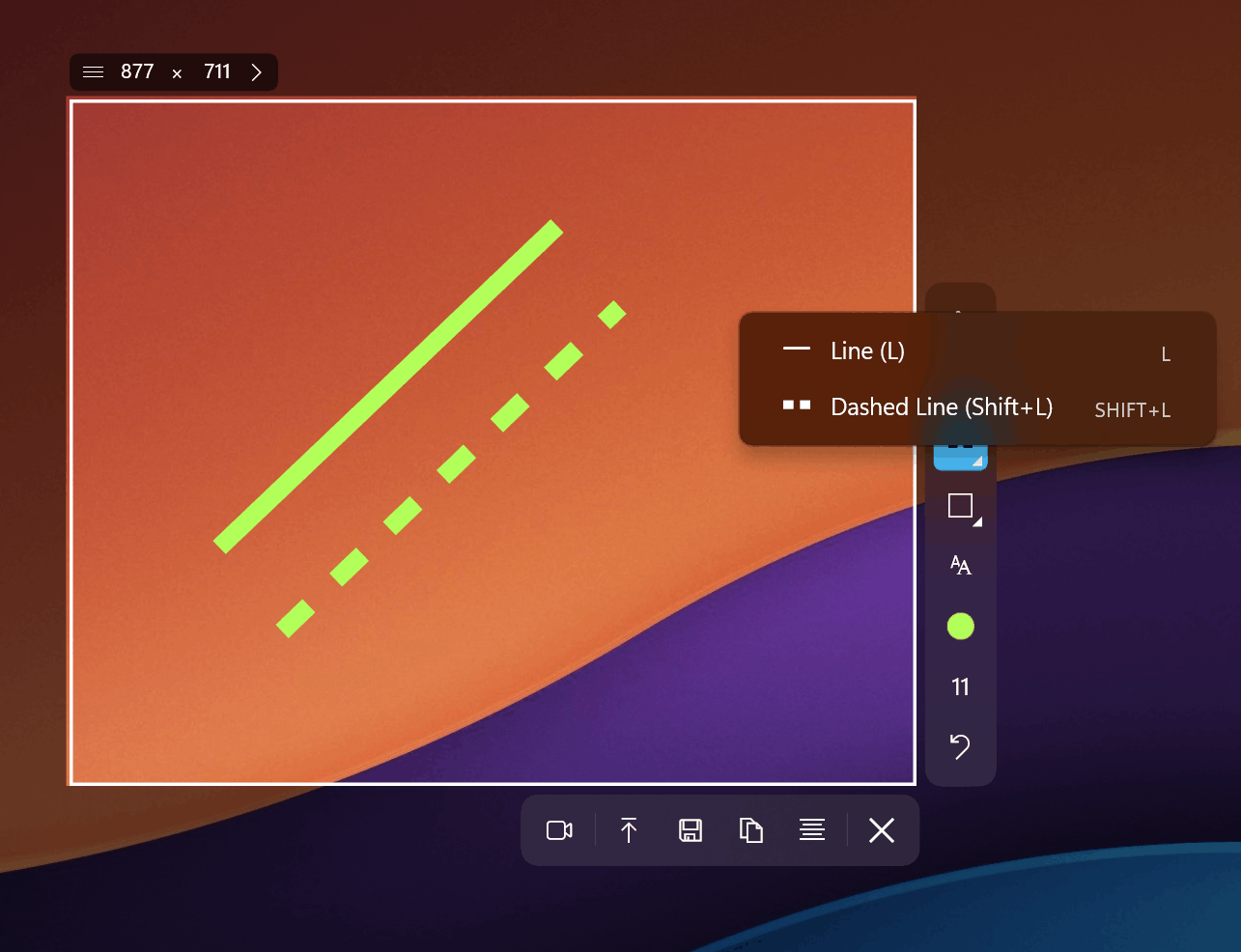
- Dashed lines: Available in both solid and dashed styles, useful for wireframe annotations and indicating optional or conditional elements.
- Pen with stabilization: Freehand drawing in Sleekshot includes smooth stabilization that compensates for shaky mouse input. Flameshot's pencil tool has no stabilization.
- Canvas resize after annotations: Need more space for a callout after you've already started annotating? Sleekshot lets you expand the canvas. Flameshot doesn't.
- Shift-snap to 45 degrees: Hold Shift while drawing arrows or lines to lock them to perfect angles. Creates cleaner, more professional-looking annotations.
- Preset capture sizes: Define standard dimensions (like 1280x720) for consistent screenshots across documentation projects.
Where Flameshot Excels
- Pinned screenshots: Flameshot 13 supports pinning screenshots on screen with rotation and transparency effects. Useful as visual references while working. Sleekshot doesn't have this yet.
- Open source and fully free: No watermarks, no paid tier, no restrictions. If you want truly free with no strings, Flameshot delivers.
- Linux support: Flameshot is the go-to screenshot tool on Linux distributions. Sleekshot doesn't support Linux.
- Inline editing speed: For quick captures with one or two annotations, Flameshot's overlay approach is faster since there's no editor window to open.
Screen Recording
This is where the comparison becomes lopsided. Flameshot does not offer screen recording at all. It's a screenshot-only tool.
Sleekshot includes full screen recording with no time limits on the free tier. You get cursor highlighting that makes mouse movements visible in recordings, microphone selection for voice narration, and a webcam circle overlay for picture-in-picture. The only limitation in the free version is a small watermark.
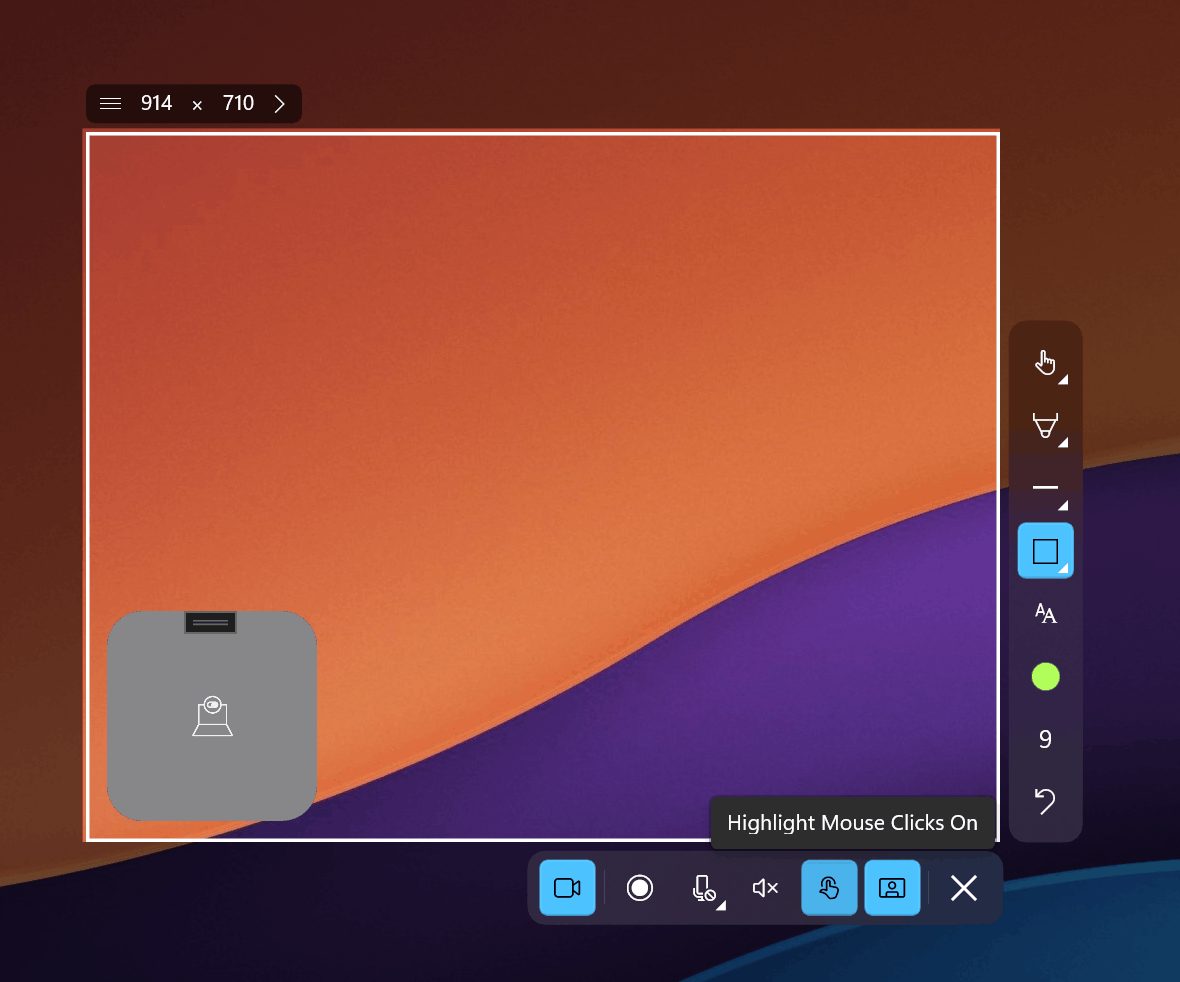
If you need both screenshots and screen recording in one tool, Sleekshot is the only option between these two. With Flameshot, you'd need a separate recording application like OBS, which adds complexity and doesn't share annotation tools.
Cloud Upload and Sharing
Sleekshot includes built-in cloud upload with shareable links. Capture a screenshot, annotate it, upload with one click, and share the link. This workflow is essential for teams, bug reports, and quick communication.
Flameshot removed its Imgur integration in version 13.0 for privacy reasons. While we understand the decision, it leaves Flameshot with no built-in sharing option. You need to save the file locally and upload it through a separate service manually.
Pricing and Value
Flameshot is completely free and open source under the GPLv3 license. No restrictions, no tiers, no watermarks. For users who prioritize cost above everything else, this is a genuine advantage.
Sleekshot offers all its capture and annotation tools for free, plus unlimited screen recording with a watermark. A one-time payment of $29 removes the watermark permanently. There are no subscriptions or recurring fees.
The practical question is whether the features Sleekshot adds (screen recording, cloud sharing, native UI, window detection, richer annotations) justify the optional $29 cost. For anyone who creates tutorials, documentation, or bug reports regularly, the answer is usually yes. For casual screenshot use on Linux, Flameshot's free-and-open model wins.
Platform Support Details
Flameshot's primary platform is Linux, where it works best. Windows support exists but has historically been secondary. Version 13 improved Windows integration with dark mode and WebP saving, but the Qt-based interface still feels out of place on Windows 11.
On macOS, Flameshot's situation is concerning. The Homebrew deprecation due to Gatekeeper failures means the standard installation method will stop working in September 2026. Builds require macOS 14 or later. Version 13 added native Apple Silicon support, but the Gatekeeper issue undermines confidence in long-term Mac viability.
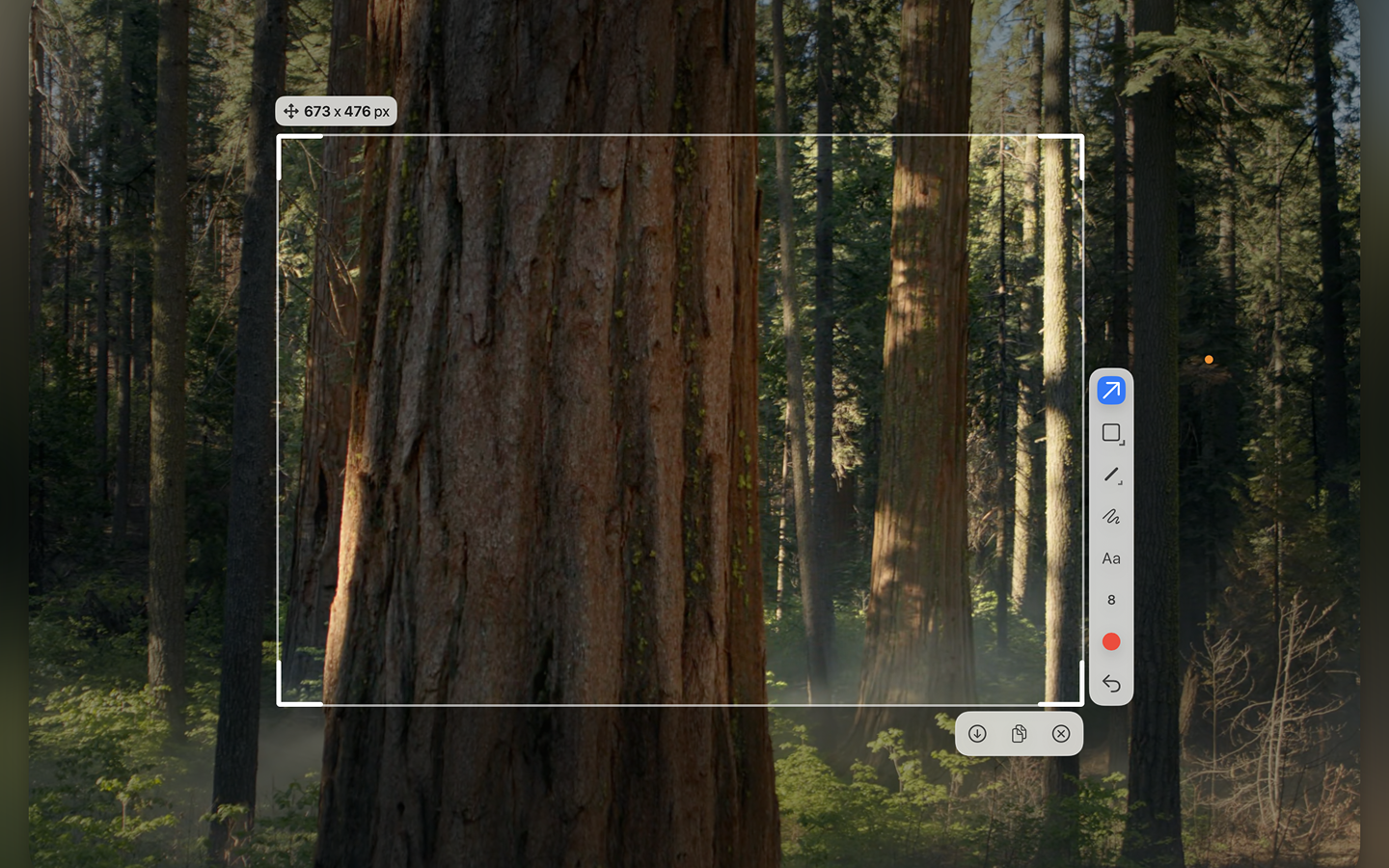
Sleekshot runs natively on both Windows and macOS. The macOS version includes all annotation features, cloud upload, and follows system theme settings. Screen recording on macOS is confirmed as coming soon. Sleekshot does not support Linux.
Expert Tips for Switching from Flameshot
- Embrace the editor window: Flameshot's inline overlay is fast but limited. Sleekshot's separate editor gives you more space to work, undo freely, and resize your canvas. The extra click to open the editor pays off with better results.
- Use window detection: Instead of manually dragging to select a window, click on it in Sleekshot's capture mode. It auto-detects window boundaries, producing cleaner edges than manual selection.
- Set up cloud sharing: This is something Flameshot no longer offers. Configure Sleekshot's cloud upload once, and you can share annotated screenshots via link instantly.
- Try screen freeze for dynamic content: If you capture applications with animations or tooltips, Sleekshot's freeze feature locks the screen so nothing moves while you select your area.
- Map familiar hotkeys: Sleekshot lets you customize keyboard shortcuts. Set them to match your Flameshot bindings so the transition feels natural.
Common Mistakes When Choosing a Screenshot Tool
- Choosing based on Linux experience alone: Flameshot is excellent on Linux, but that reputation doesn't transfer to Windows or macOS where it's less polished. Evaluate each tool on the platform you actually use.
- Assuming open source means more reliable: Flameshot went three years without a major release (2022-2025). Open source doesn't guarantee active maintenance. Sleekshot, despite being proprietary, ships updates more frequently.
- Ignoring the screen recording gap: If you ever need to record your screen for a tutorial, bug report, or presentation, choosing a screenshot-only tool means installing a second application later.
- Overlooking cloud sharing: Saving files locally and manually uploading them adds friction to every share. Built-in cloud upload might seem like a minor feature until you need to share ten screenshots in a day.
Frequently Asked Questions
Is Sleekshot free like Flameshot?
Sleekshot's core features including all annotation tools, screenshot capture, and screen recording are free to use. The only paid element is a $29 one-time license to remove the watermark from screen recordings. Flameshot is completely free and open source with no paid features at all. For screenshot-only use, both tools cost nothing.
Can Sleekshot replace Flameshot on Linux?
No. Sleekshot currently supports Windows and macOS only. If you use Linux, Flameshot remains the best free option for screenshots. However, if you work across Windows or macOS and Linux, you can use Sleekshot on Windows/Mac and Flameshot on Linux as a complementary setup.
Does Sleekshot have Flameshot's pinned screenshot feature?
Not currently. Flameshot 13 lets you pin screenshots on screen with rotation and transparency, which is useful as a visual reference. This feature is not available in Sleekshot. If pinned screenshots are essential to your workflow, that's a point in Flameshot's favor.
Why did Flameshot remove cloud sharing?
Flameshot disabled the Imgur uploader in version 13.0 due to privacy concerns. The developers cited the risk of users accidentally uploading sensitive data to a public service. Sleekshot uses its own cloud infrastructure for sharing, giving you more control over uploaded content.
Which tool gets updated more frequently?
Sleekshot receives regular updates from its developer who actively takes feature requests. Flameshot went three years between major versions (v12 in 2022 to v13 in August 2025). While Flameshot 13 brought meaningful improvements, the long gap raised concerns about the project's sustainability. The latest point release is v13.3.0 from October 2025. Download Sleekshot to see the latest features.
Conclusion
Flameshot and Sleekshot serve different audiences well. Flameshot is the right choice for Linux users who want a free, open-source screenshot tool and don't need screen recording or cloud sharing. But on Windows and macOS, Sleekshot offers a substantially better experience with its native interface, richer annotation tools, built-in screen recording, and cloud upload.
If you're on Windows or macOS and considering Flameshot, try Sleekshot for free first. The annotation tools alone are worth the switch, and the screen recording capabilities mean you won't need a separate tool for video capture. For watermark-free recordings, the one-time $29 license is straightforward and affordable.